The product
Biguard is a service that protects people's social media and email accounts. Customers sign up, list the accounts they want covered, and Biguard's team takes it from there: it moves each account's recovery codes to a virtual phone number or email the team controls, and helps the customer get back in when something goes wrong.
That work needs a back office. I built the frontend for two parts of it:
The admin panel the Biguard team uses every day: customers, sign-up requests, protected accounts, reports, virtual numbers, news and a live chat with customers.
The public sign-up form customers fill in, in three steps, available in two languages.
The backend and its API were another team's. The screenshots use demo data.
My part
I built both frontends on my own, from July 2022 to early 2023, with a few later fixes to the sign-up form in 2023. That covers every screen, the API integration, the live chat over WebSockets and the responsive layout.
Customers in one place
The users table is the team's starting point. Each customer's page shows their details, verification status and newsletter choice, the accounts Biguard protects for them, and their reports. From the same page the team can link a new account, send the customer a push notification or open a chat.
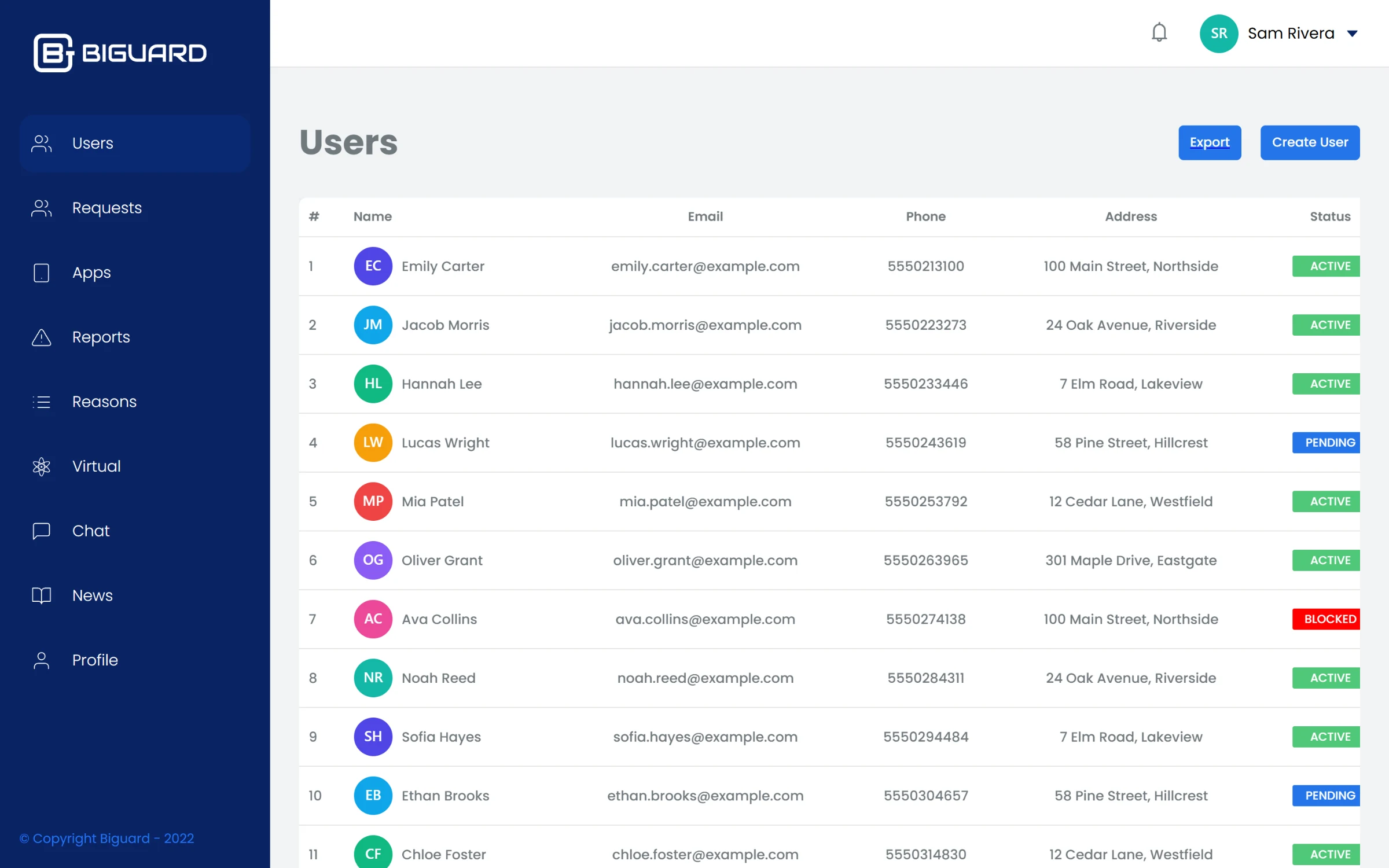
Every customer, with their contact details and account status.
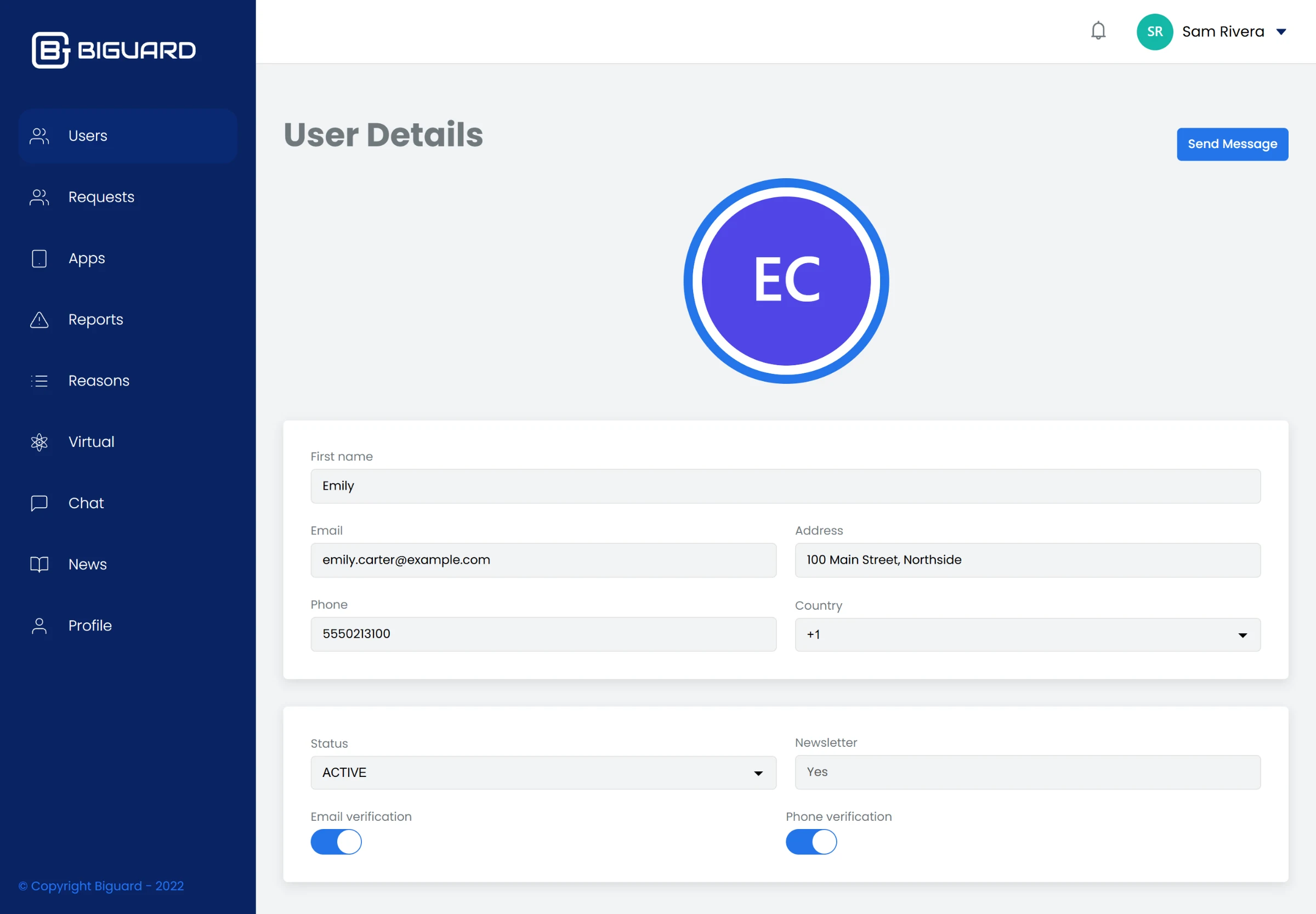
A customer's page: details, status and verification switches.
From sign-up request to customer
New customers start on the public form. They enter their details, pick the apps they want protected from a grid of icons, add a username for each, and confirm their phone with a one-time code. The request lands in the admin panel, where the team reviews the accounts and approves or rejects it.
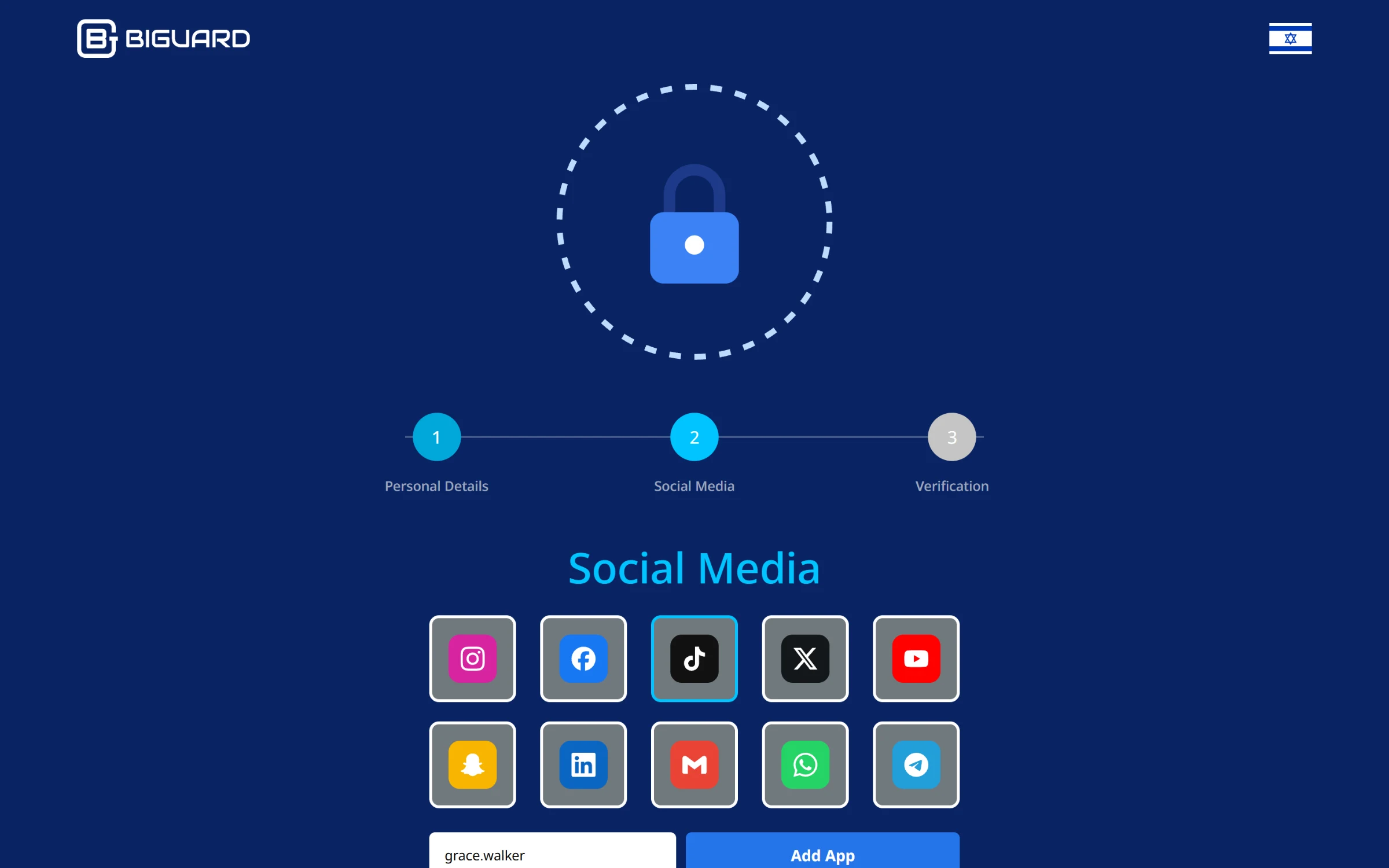
The sign-up form: choose the accounts to protect and add a username for each.
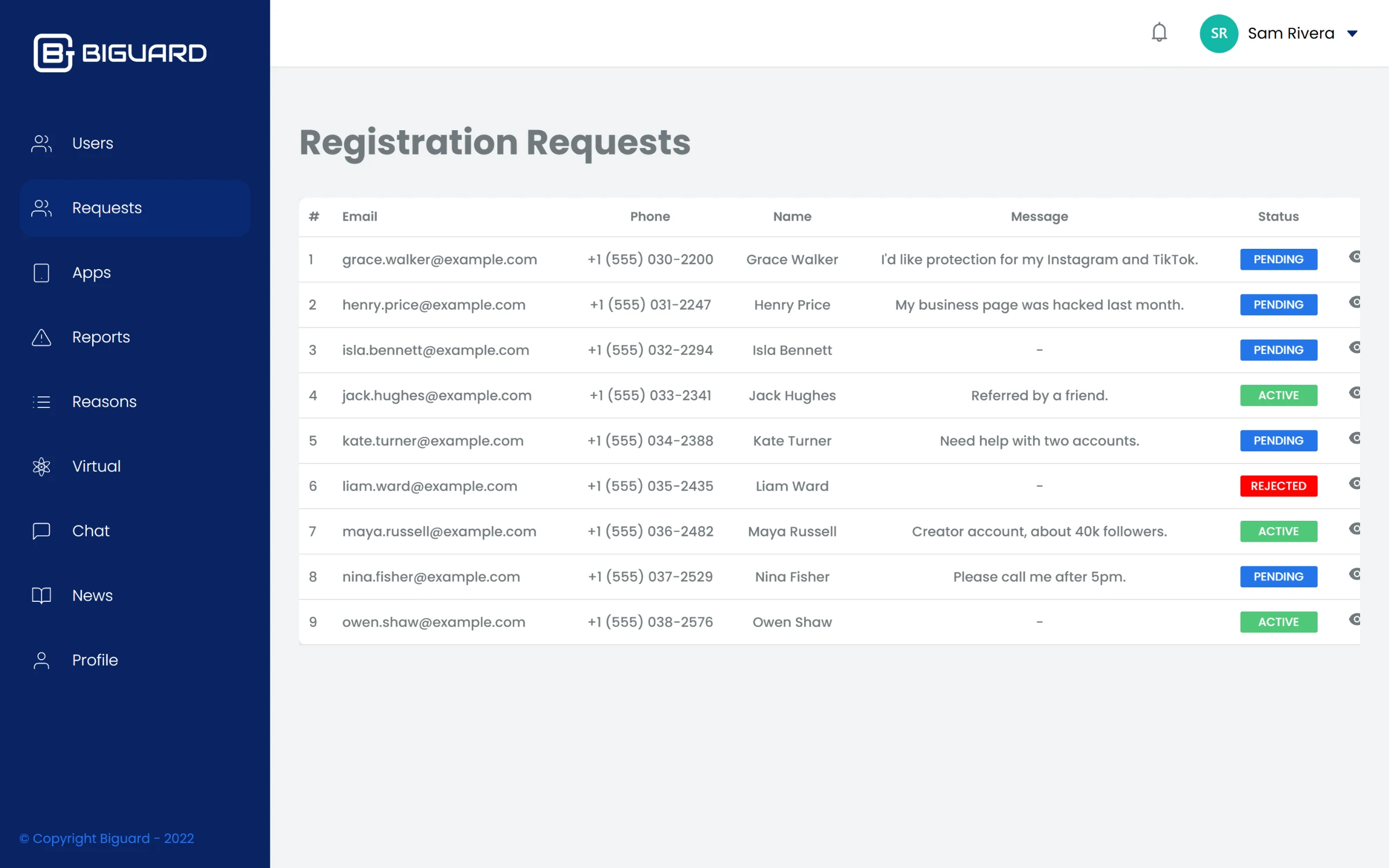
Sign-up requests waiting for review, with the customer's message.
Virtual numbers
Each protected account gets a virtual number or email for its recovery codes. The team imports numbers from a spreadsheet, and the table shows which are free, which account each one is attached to, and who used it before. Assigning one is a dropdown on the account's page.
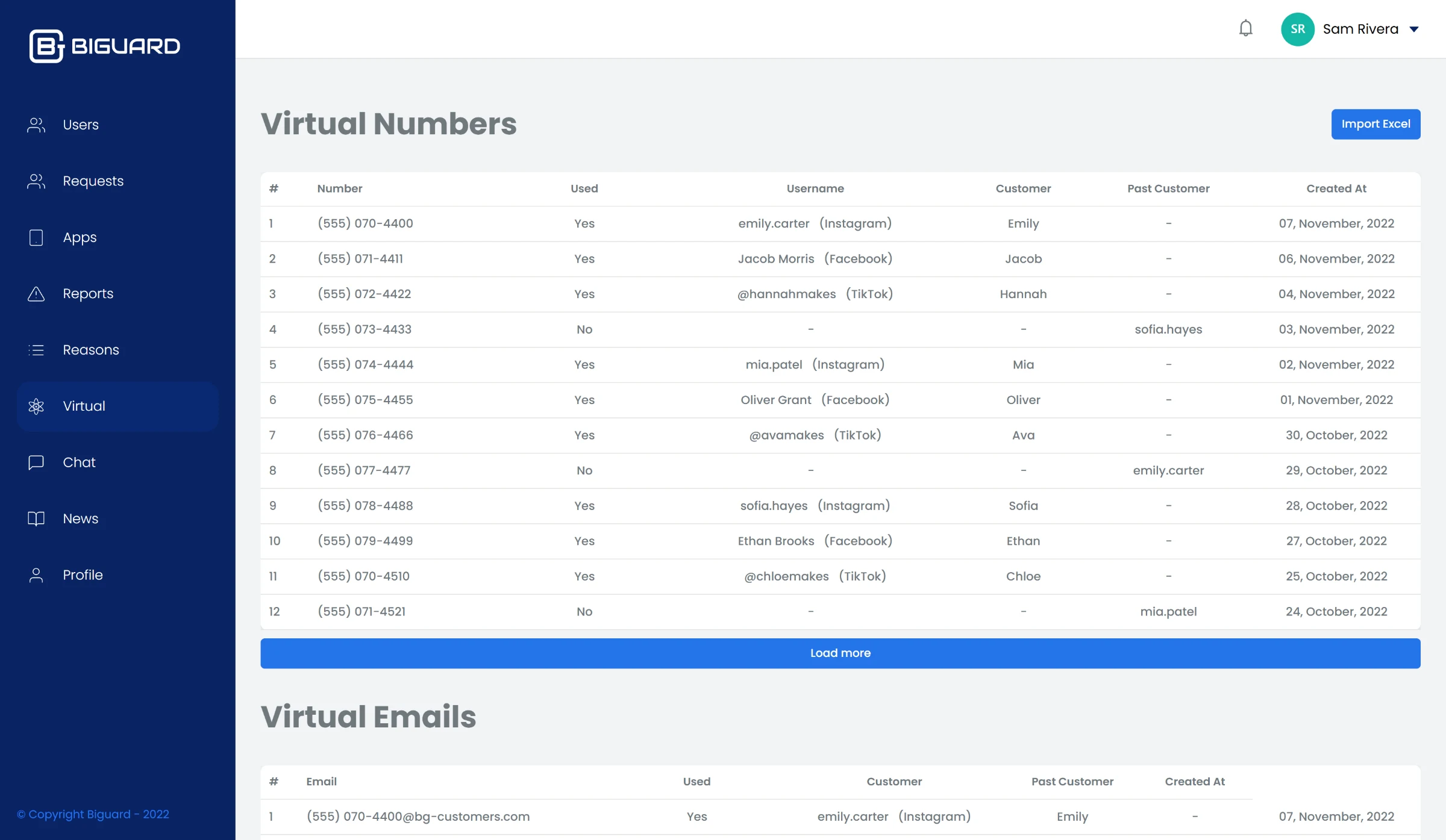
Virtual numbers: which are in use, by which account, and which are free.
Reports and live chat
When something goes wrong, the customer files a report with a reason and a description. The team works through them by status and adds timeline updates as they go. For anything that needs a conversation, the chat screen lists every customer thread and updates in real time over Socket.IO, with older messages loaded page by page as you scroll.
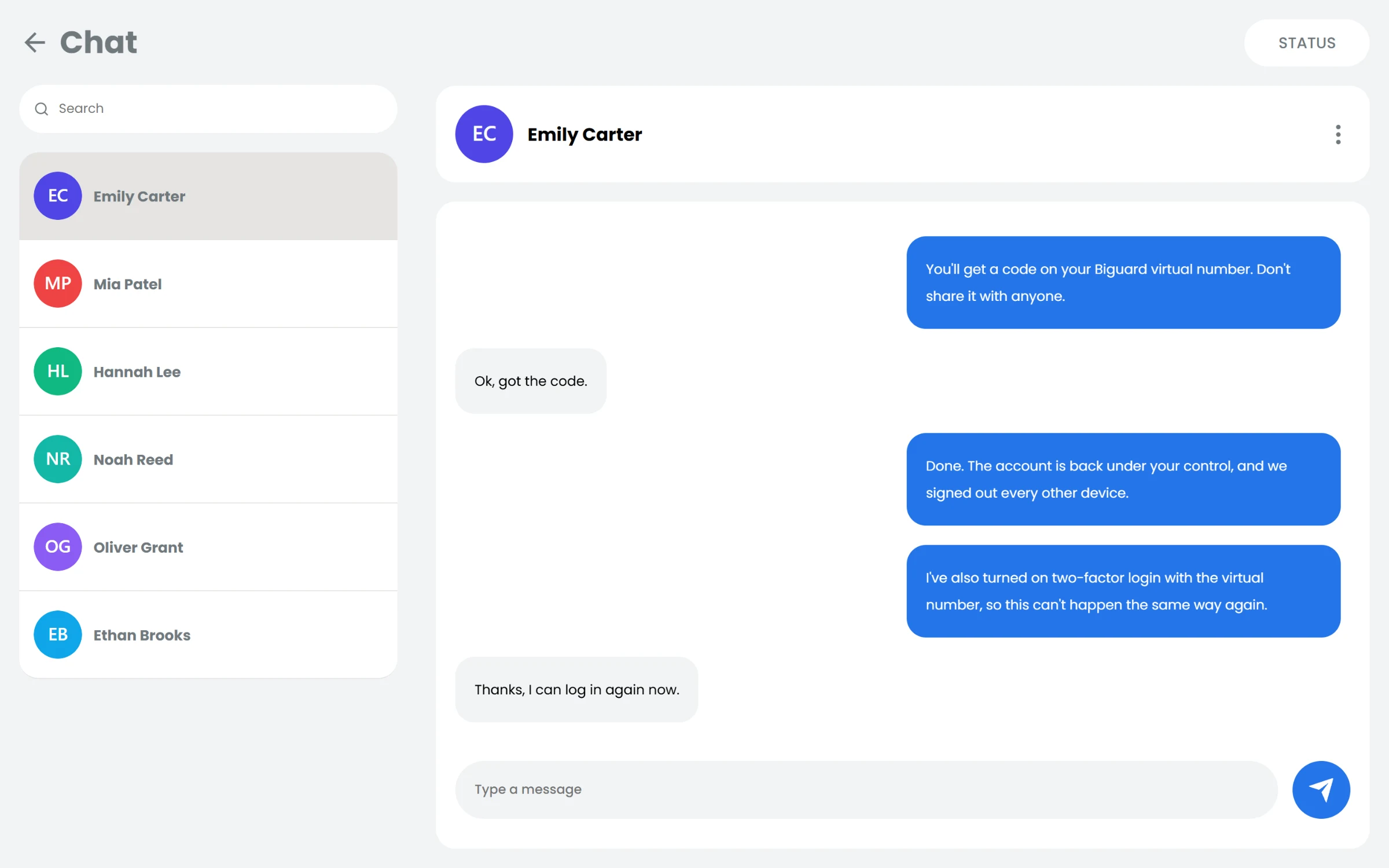
Live chat: the team walks a customer through getting an account back.
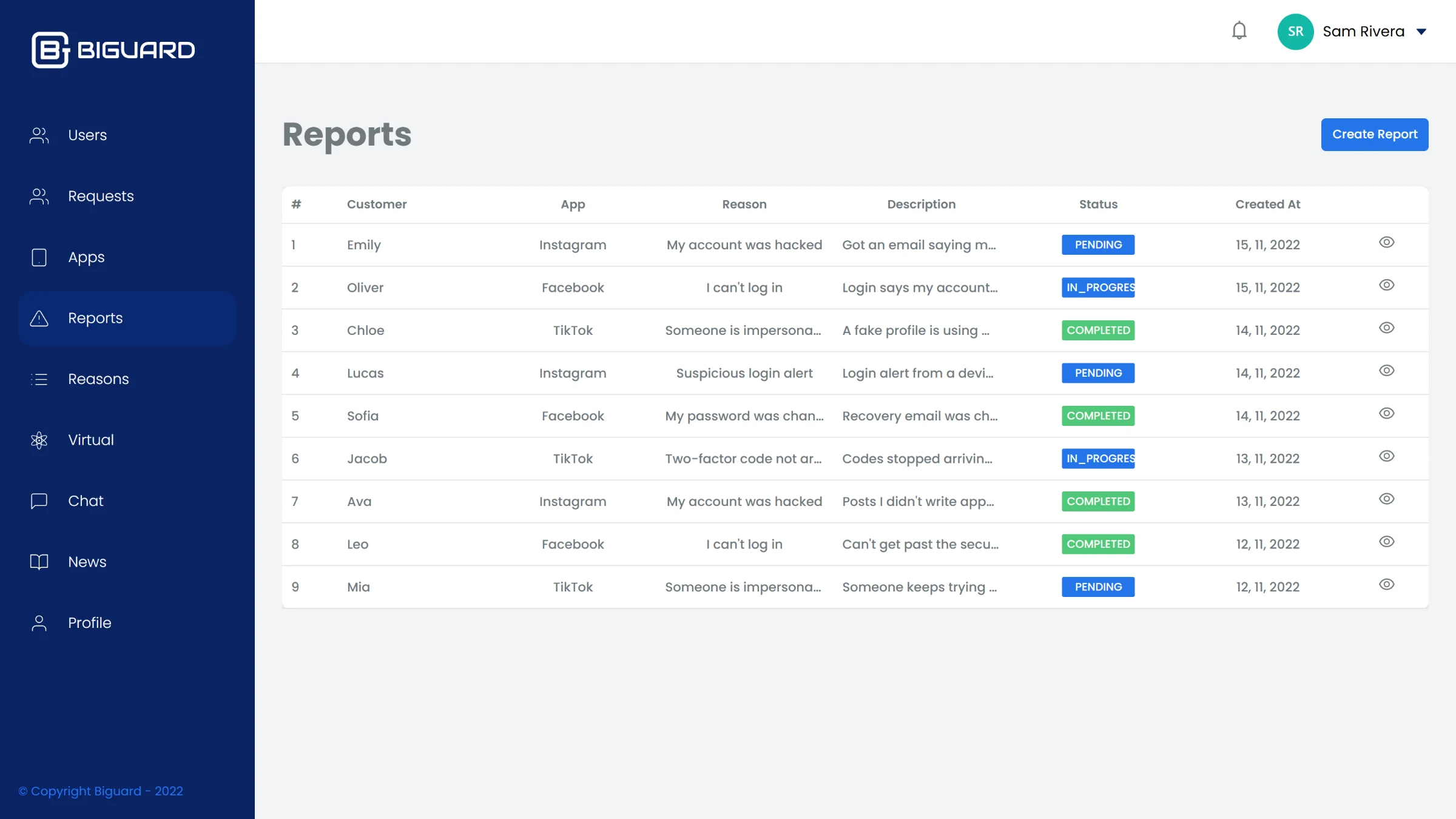
Reports by customer, account and reason, with their status.