The problem
An accounting office spends a surprising part of every month chasing paper. Clients send invoices and receipts by email, chat and photo, late and incomplete. Someone at the office then types the supplier, the date, the total and the VAT of each one into the books by hand.
What Docufy does
Docufy is a document portal between an accounting office and its clients. The office asks for documents, clients upload them, and every invoice or receipt is read automatically, so the accountant checks the numbers instead of typing them.
A home screen with recent documents, reminders sorted into upcoming, overdue and completed, and requests coming in from clients.
Clients and their businesses, each with its type, business number and monthly or bimonthly reporting.
Every business has its documents grouped by month, with a status for the month and a button to download the whole month at once.
Requests: the office asks a client for a type of document by a date, and clients can send requests back.
Upload several files at once. Each one is read for supplier, totals, VAT, number, type and date, then checked and confirmed.
Team members with viewer or editor rights who only see the businesses assigned to them, plus favourites and an Excel export of the client list.
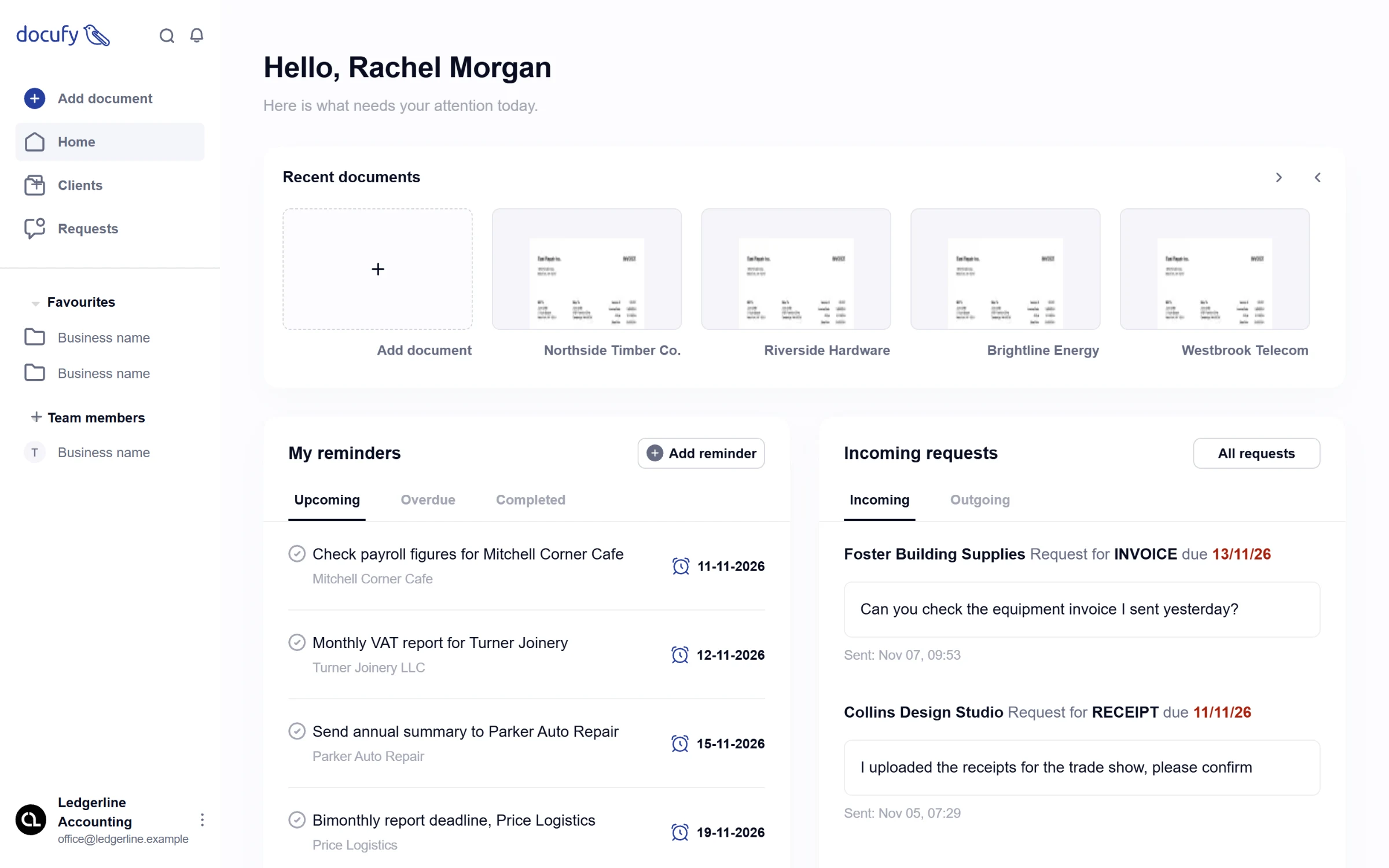
The home screen: recent documents, reminders and incoming requests.
My role
I built Docufy alone between October 2024 and January 2025: the Next.js web app for the office and the Express and MongoDB API behind it, which also serves the client side of the product. The interface is right-to-left; the screenshots here use demo data, with the interface translated into English.
Reading an invoice
When the accountant opens an uploaded file, the browser sends it to DocuPanda for parsing, then refines the extraction schema with a short brief: find the title, date, document number, price and VAT, and classify the document as an invoice, a receipt or something else. The app polls until the parse and the standardisation are done, then maps the result onto the form.
The model does not always name its fields the same way, so each form field accepts a list of likely keys (total, totalAmount or amount, for example). If the model finds a document type the office does not have yet, it is added to the list instead of being dropped. The accountant sees the PDF next to the fields and only has to confirm.
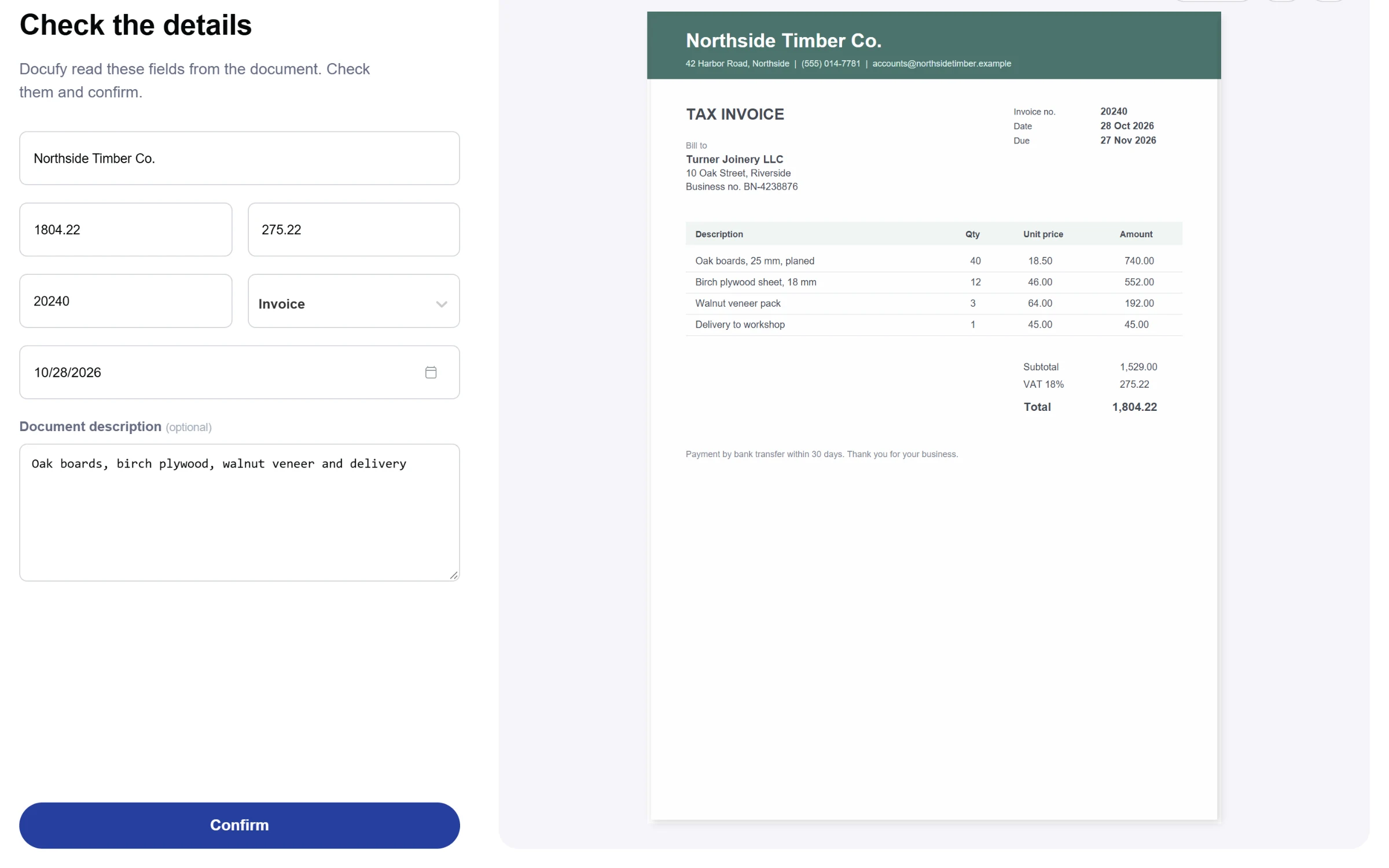
Fields read from the invoice, next to the document itself.
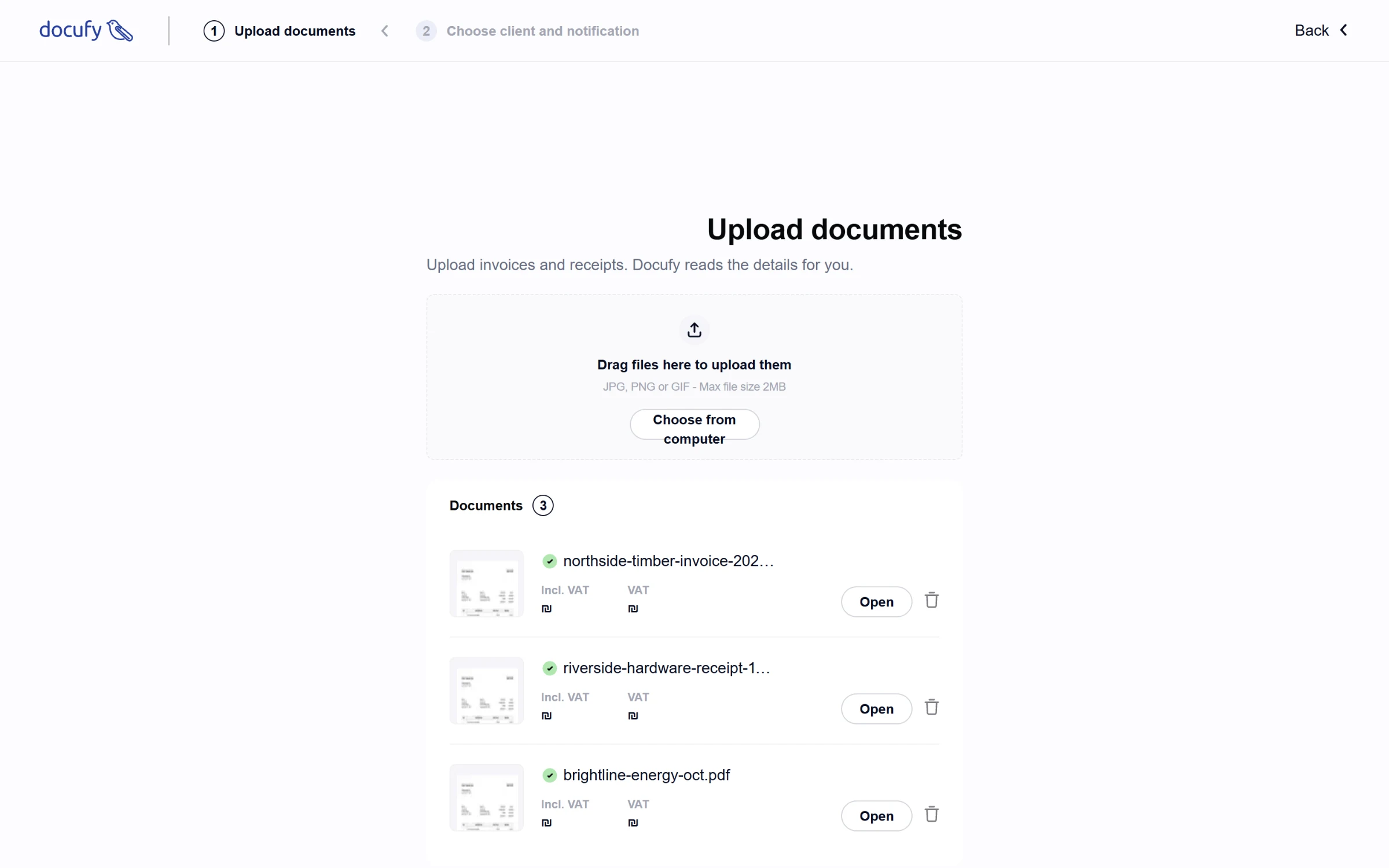
A batch upload. Files go straight from the browser to storage through signed URLs.
A month at a time
Accountants think in reporting periods, so a business's documents are grouped by month. Each month shows how many documents it has and its status, and one click marks the whole month as submitted or approved, or downloads every file in it. Incoming and outgoing documents sit in separate tabs, and the list filters by status and document type.
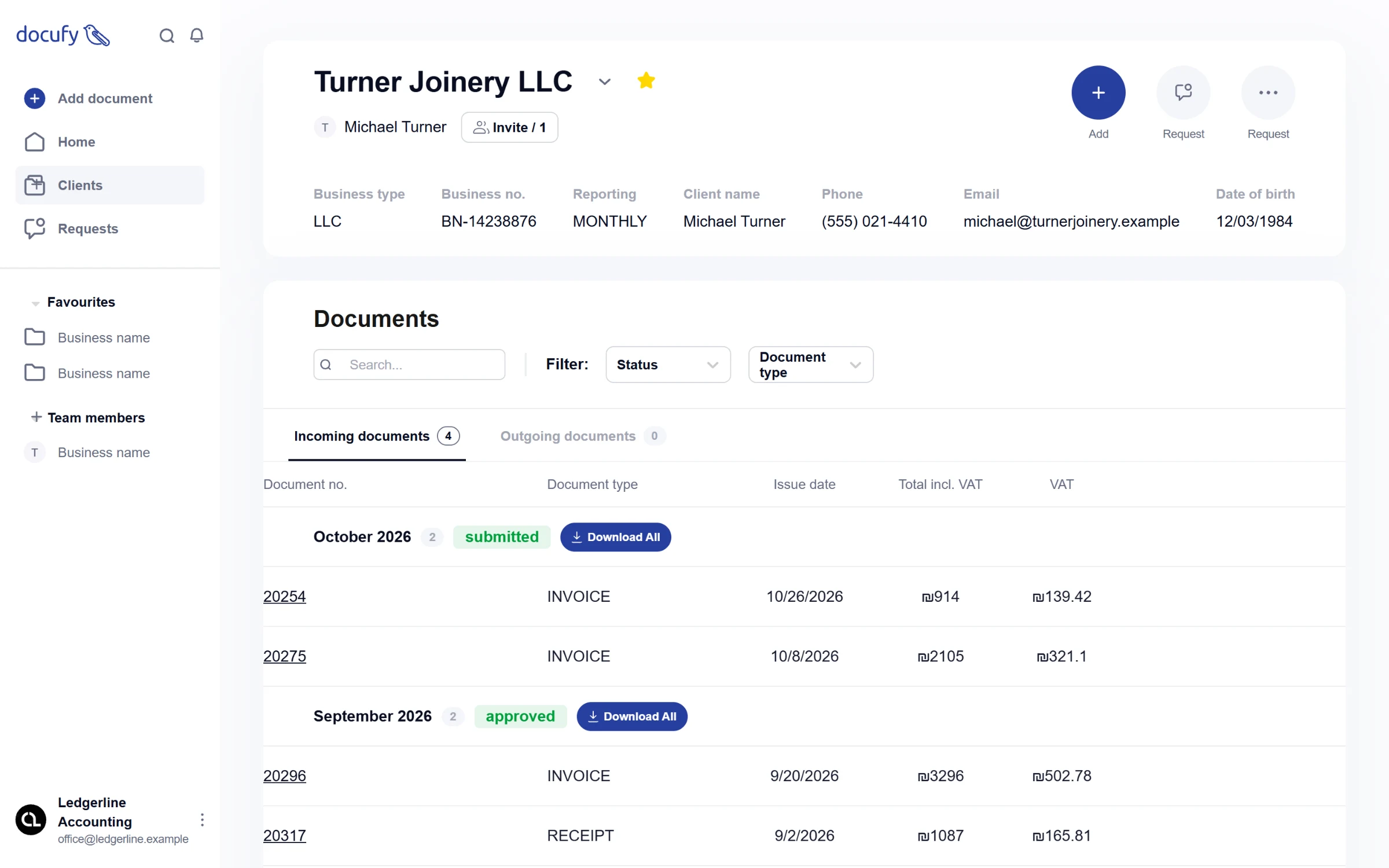
A business: its details, then its documents month by month.
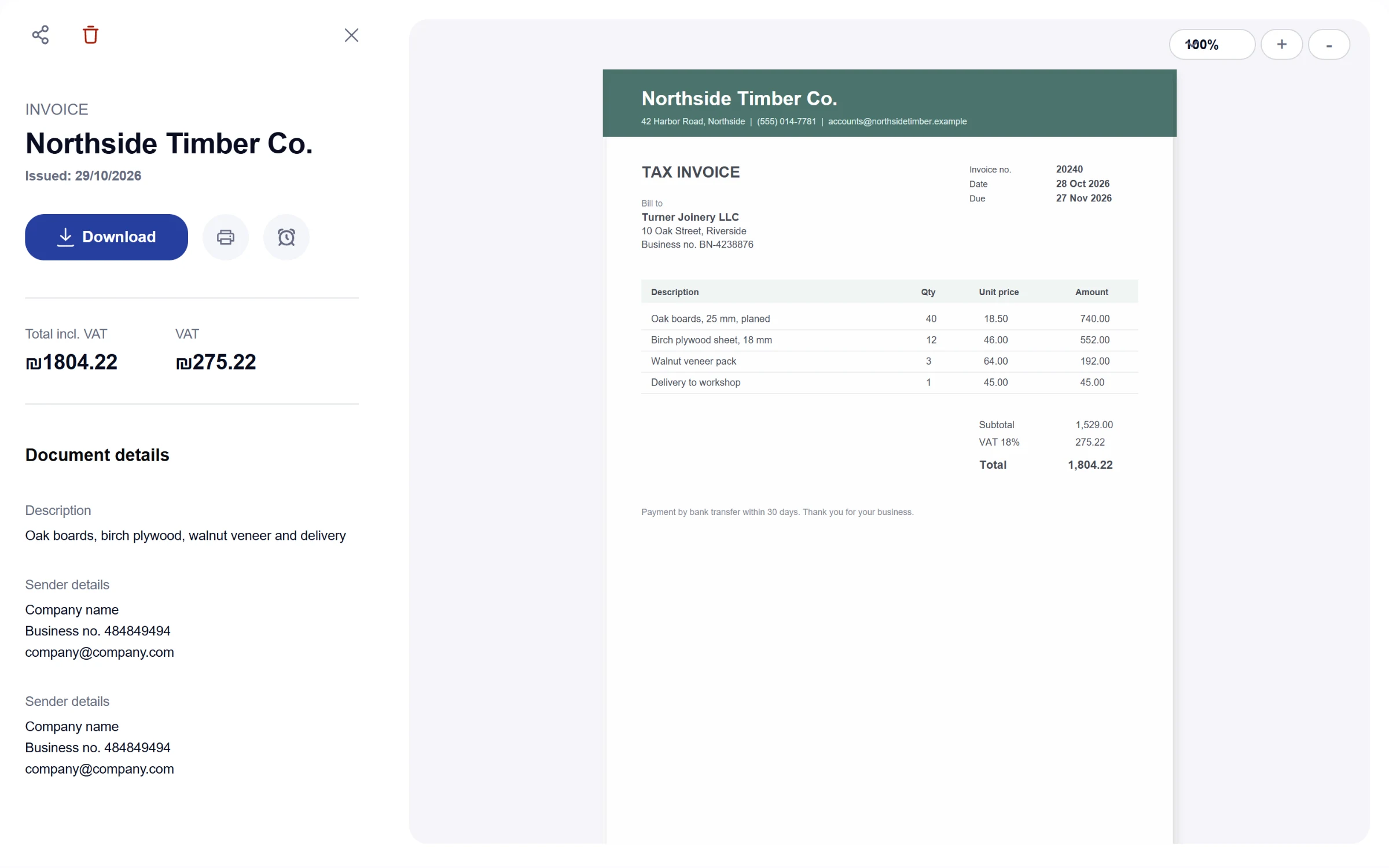
A single document with the PDF preview.
Asking for documents
Instead of a chat thread, a request names the business, the document type, a deadline and a message. When the office uploads files for a client, the client gets an email or an SMS with a link, whichever the accountant picks.
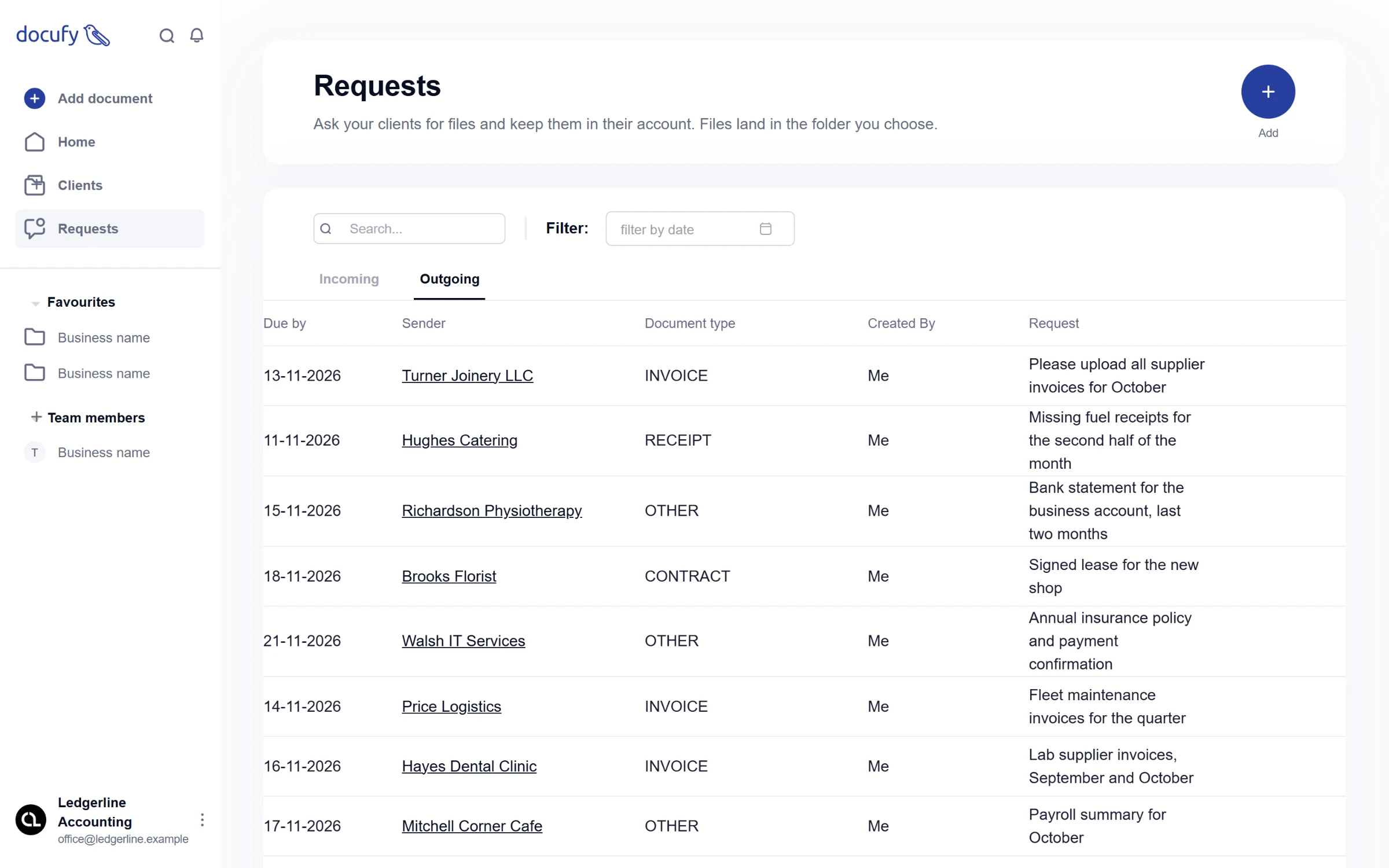
Outgoing requests to clients.
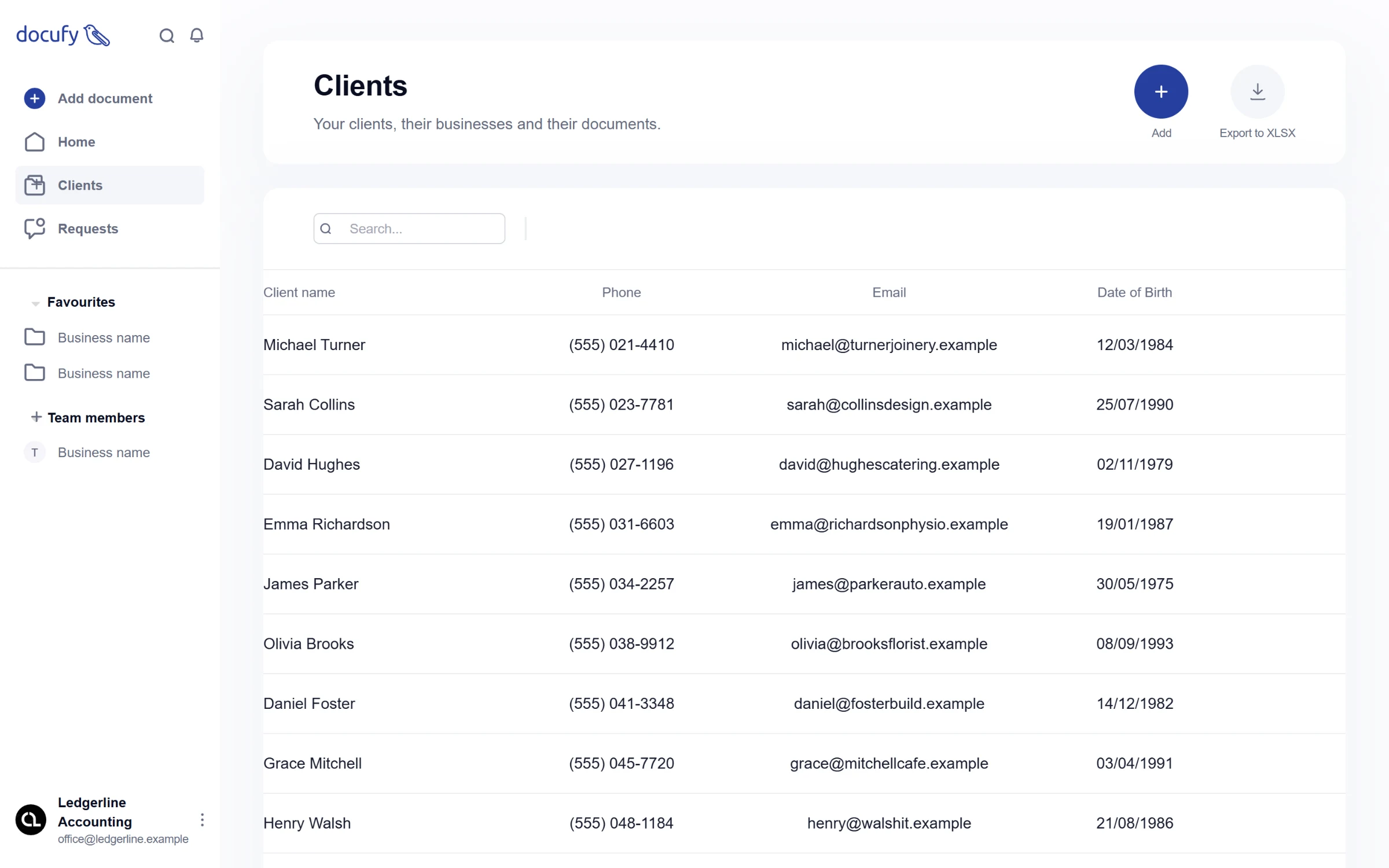
The client list, with an Excel export.
Under the hood
The API has 46 endpoints across the office, the client side and shared file storage. Office staff and clients sign in with a phone number and a one-time code; the API issues a JWT and validates request bodies with Zod. Files live in a private S3 bucket. Uploads and previews go through short-lived signed URLs, so files never pass through the server.