The product
Tor Digital is an online booking system for small businesses that see clients by appointment: hair and beauty studios, barbers, trainers, tutors and clinics. A business signs up, adds its services and opening hours, and gets a booking link. Its clients open the link, pick a staff member, a service and a free slot, and book. The owner runs the day from an admin dashboard.
The product has three web frontends, a mobile app and an Express API. The screenshots here use a made-up beauty studio as demo data, with the interface translated into English.
My part
I did the frontend part. From August 2022 to February 2024 I built the three web apps in React, and I was the main frontend developer on all three in that period, with about 525 commits between them:
The business admin: dashboard, calendar, appointment booking, clients, staff, services, working hours, memberships, reports, settings, coupons and gift cards
The client booking site: the business page, the booking flow, card payment, the waiting list, my appointments, gift cards and payment history
The sign-up flow that takes a new business from registration to a live booking page
The API and the mobile apps came from other people on the team. I wired every screen to the API, and in the last months I also wrote some of the backend endpoints my screens needed: booking with payment, booking requests that the business approves, waiting-list updates, and the coupon and gift card APIs.
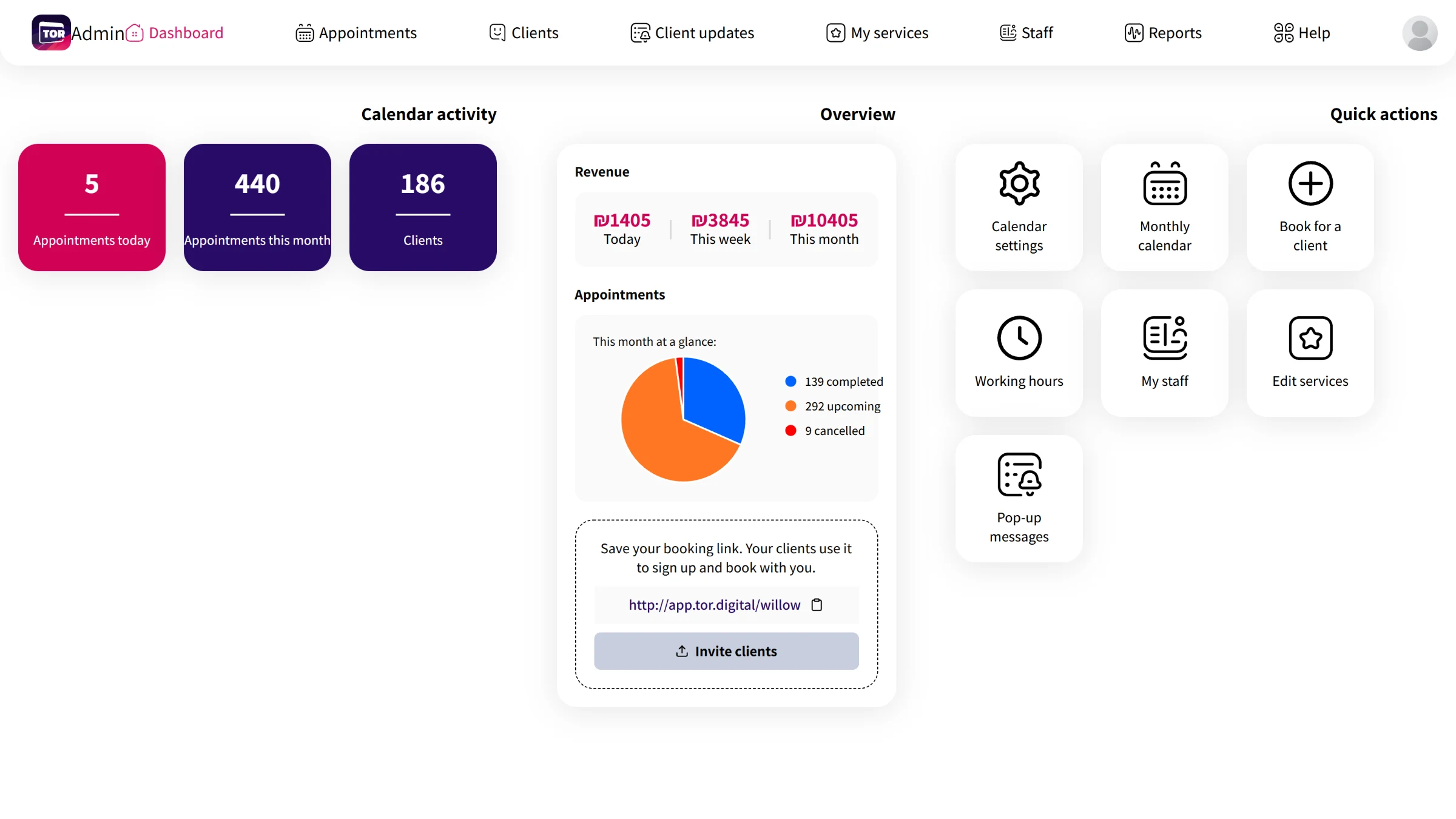
The admin dashboard: today's and this month's appointments, revenue, the month's status at a glance and the booking link to share.
The calendar
The appointments screen has two views. The smart view lists today's appointments with call, WhatsApp, note and cancel actions next to a date picker. The calendar view uses react-big-calendar with month, week and day views and a staff filter, and clicking an empty slot opens a new booking. Group classes show in a different colour and open an attendance screen.
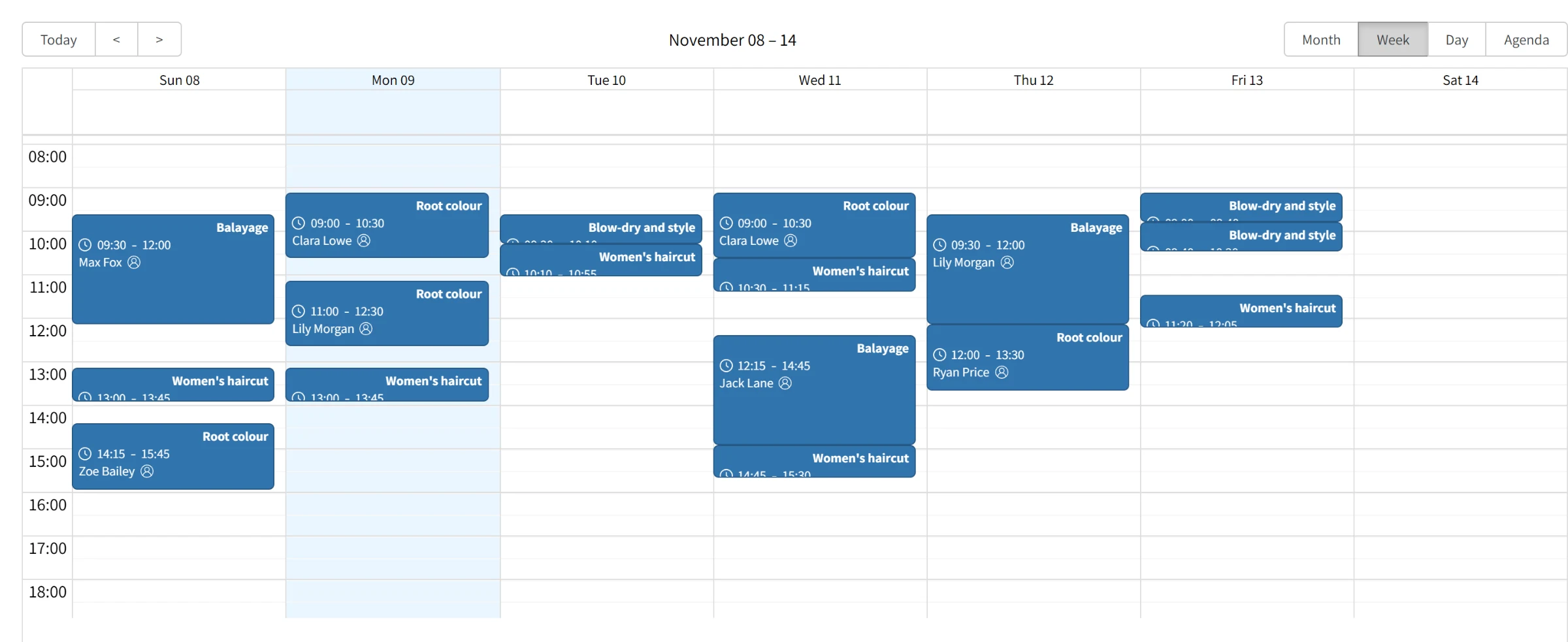
One staff member's week in the calendar view.
Hours that decide what can be booked
Each staff member has a weekly schedule. A day can have several shifts, and each shift lists the services offered in it, so a colour appointment can be limited to mornings while haircuts run all day. The booking flow on the client side only offers slots that fit these rules, the service length and what is already booked.
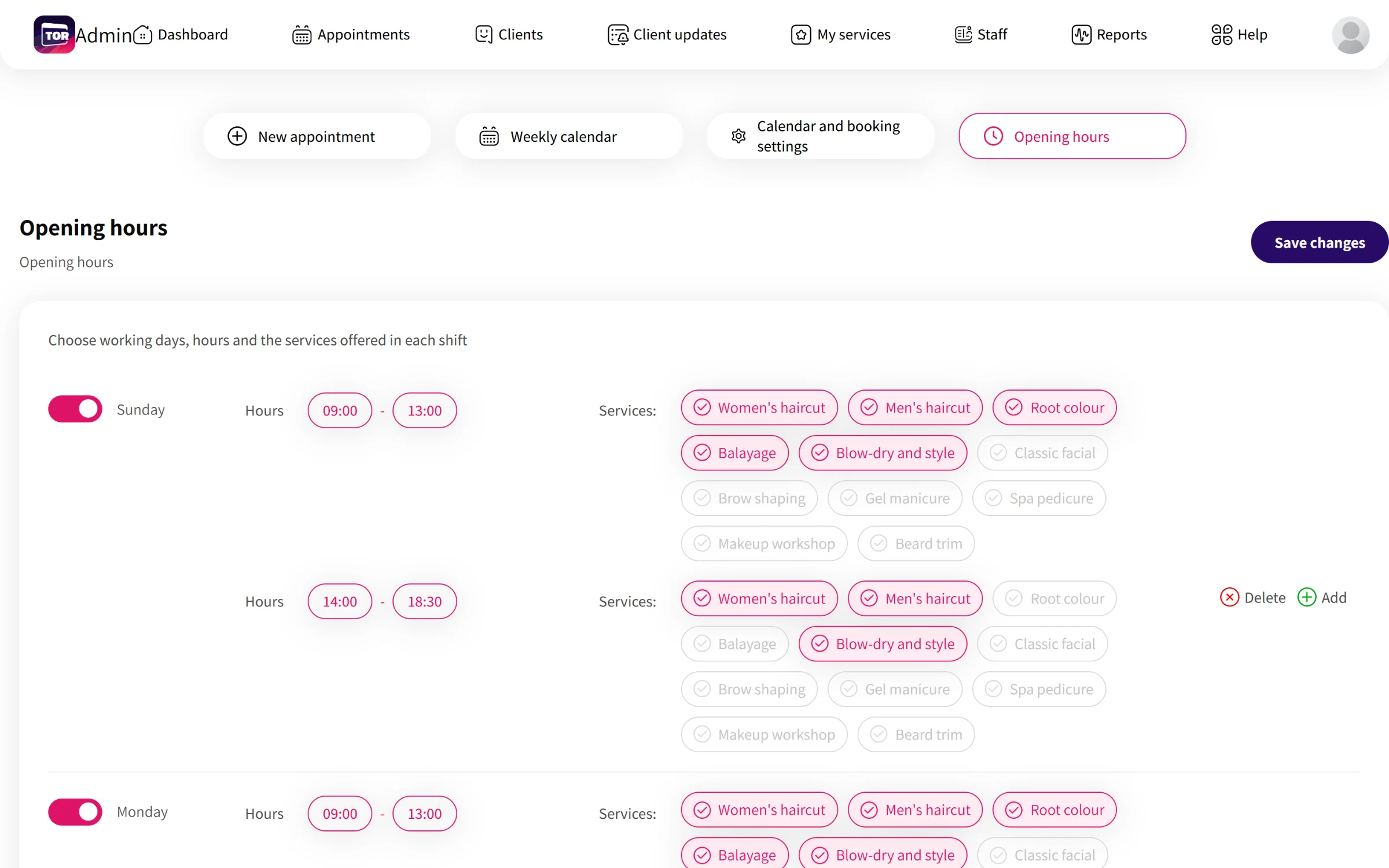
Working hours: shifts per day, and the services each shift accepts.
Booking from the client's phone
The booking site is built mobile first. The business page shows the studio's photos, contact buttons and opening hours, all themed in the colour the business picked. Booking is three steps on one page: staff member, service, then day and time. Busy slots are disabled, a full day can be joined as a waiting list, and the last step confirms the booking or takes a card payment when the business asks for one.
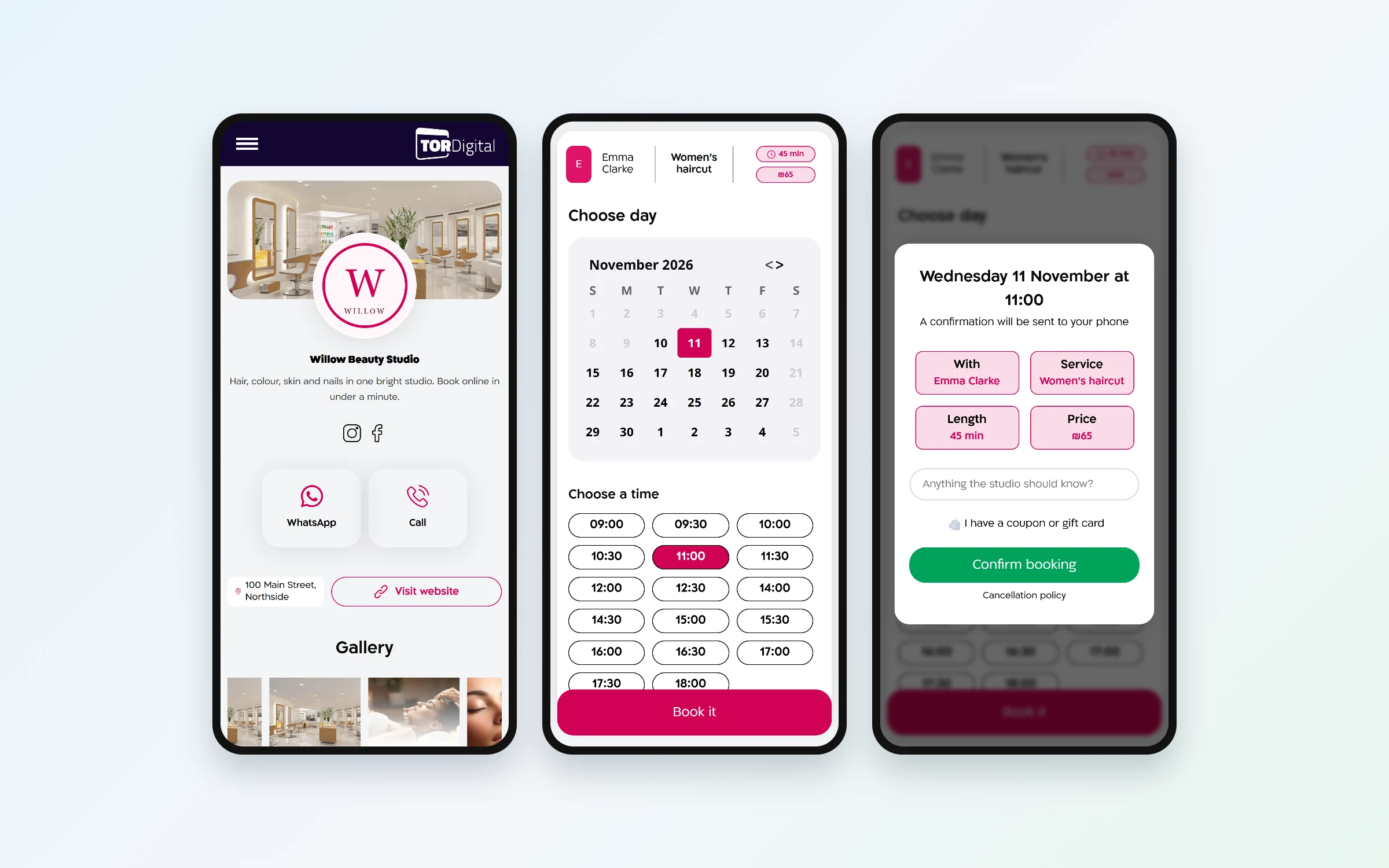
The client side: the business page, choosing a day and time, and confirming.
Coupons and gift cards
Near the end I added coupons and gift cards on both sides. In the admin a business creates percentage or fixed coupons with a quantity and an expiry date, sells gift cards, and follows purchases, remaining balances and redemptions. On the booking site clients enter a coupon or gift card code at checkout, or buy a gift card for someone else. The admin screens for both were held back from the release when I left, and switched on later.
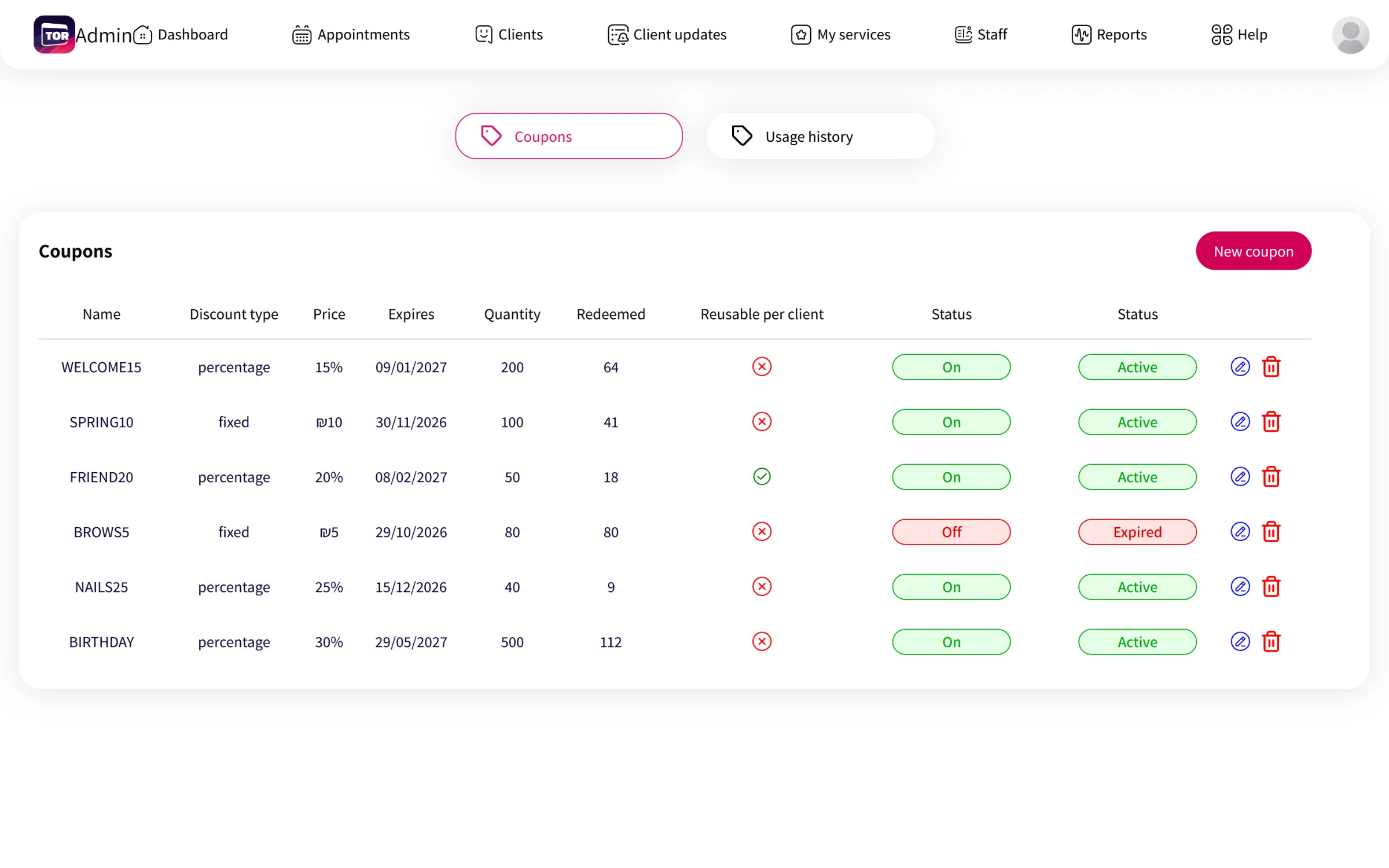
Coupons with their discount, expiry, usage and status.
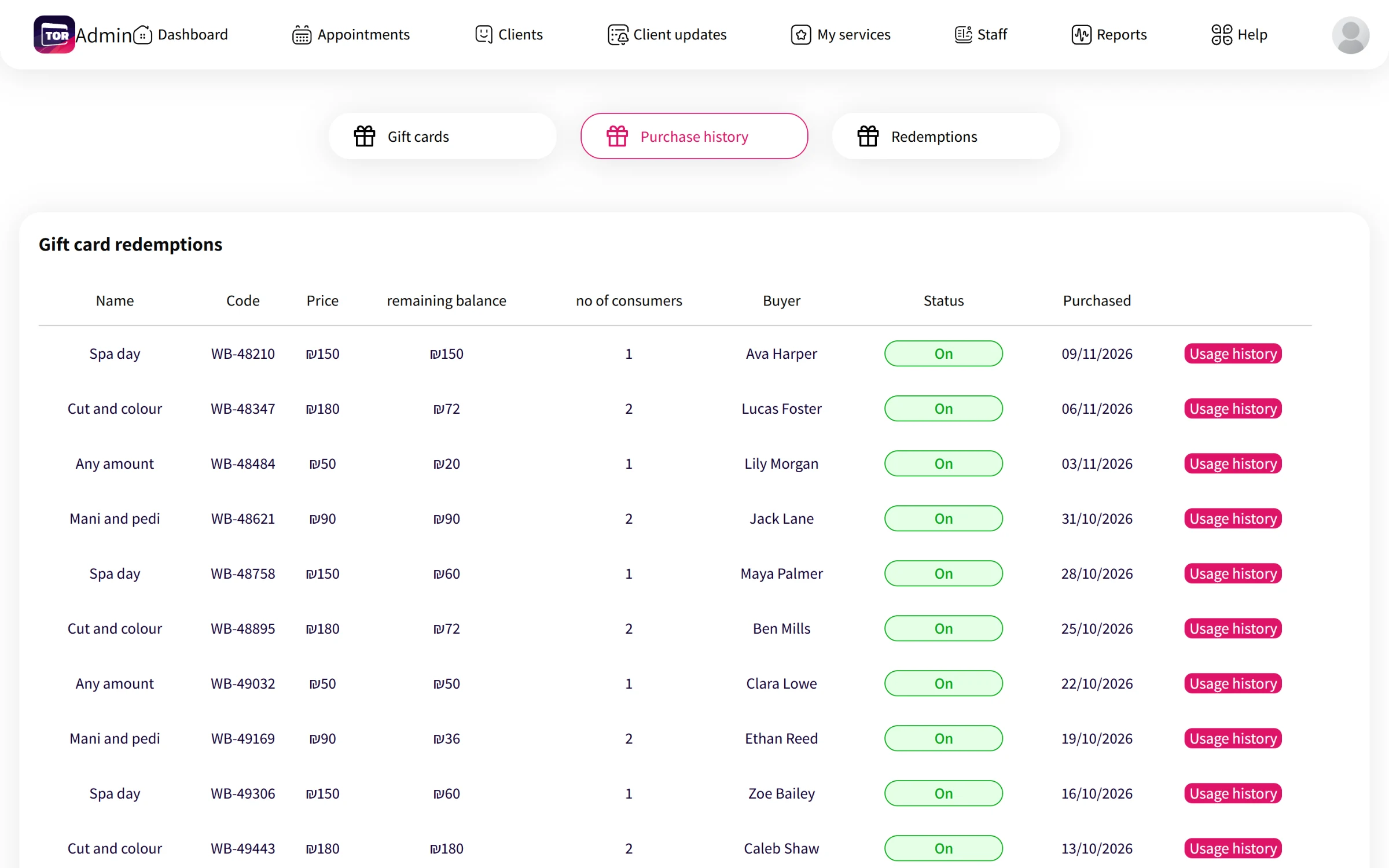
Gift cards sold, with codes and remaining balances.
Signing up a business
The sign-up app gets a new business from zero to a booking link in a few minutes. After registration with a phone code, the owner adds services, sets the working days and shifts, fills in the profile and gallery, and lands on a success page with the link to share.
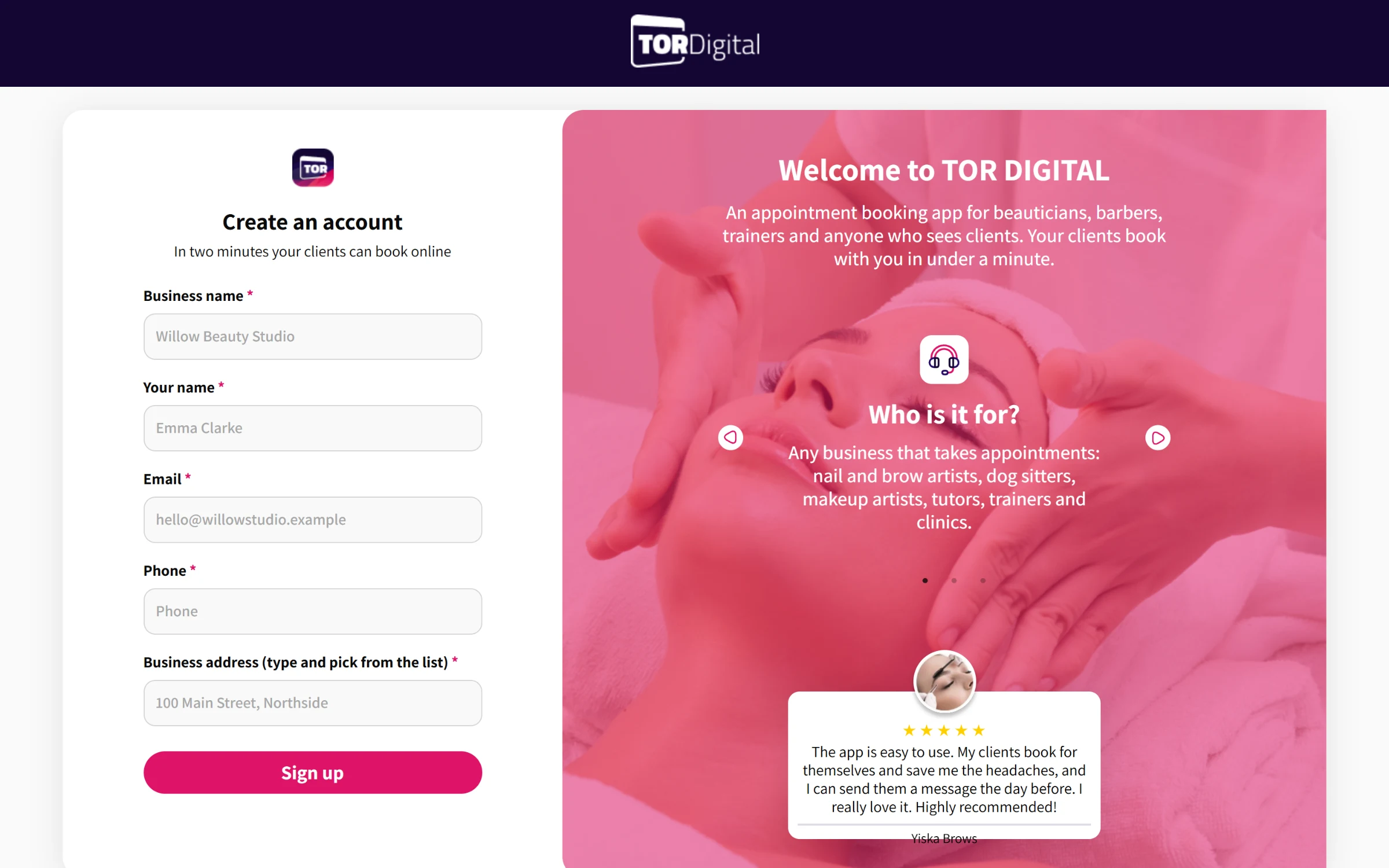
The sign-up page for new businesses.
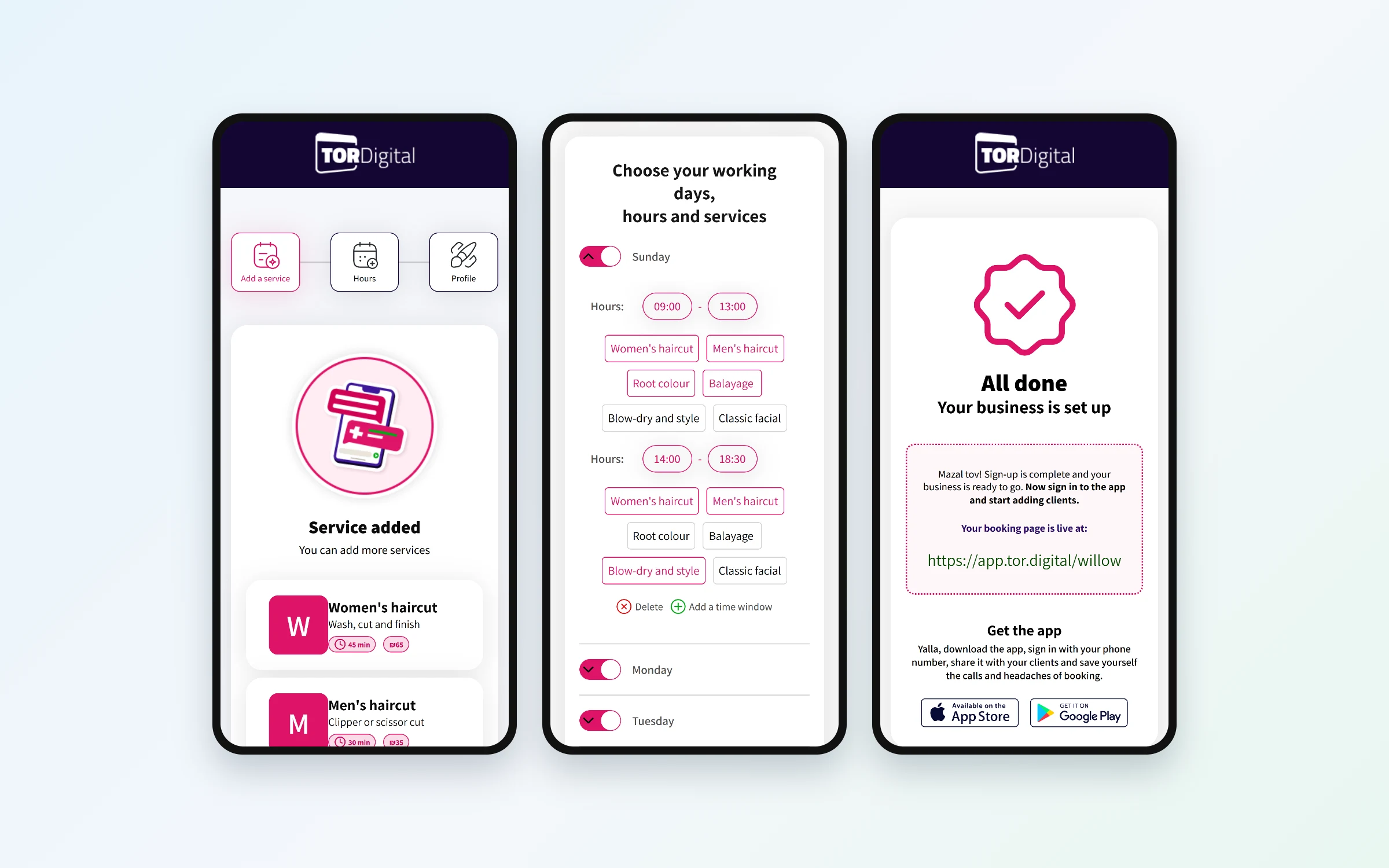
Adding services, setting hours and the finished setup.
What I took from it
These apps were built right-to-left from the start, which taught me to think about layout direction in every component. Building three frontends against one API also showed me how much a shared, consistent set of endpoints saves. When the screens needed something the API did not have yet, I learned to write that endpoint myself instead of waiting.