The product
Pickapp is a trip marketplace for bus and minibus drivers and small transport companies. A school needs a coach for a field trip, a hotel needs a wedding shuttle, a company needs a staff run. Pickapp collects those jobs and offers each one to the drivers who fit it: the right region, the right vehicle, free on that date.
It has two sides:
A web app for drivers, where they sign up, see matching trips, request them, follow their schedule and their earnings, and sell on a trip they can't take.
An admin panel for the Pickapp team, where they approve drivers, post and assign jobs, handle requests and track payments.
The screenshots use demo data, with the interface translated into English.
My part
I built the frontend of both apps, from the first commit in March 2023 through to the last updates in 2024. The backend and its API were another team's work; I wired every screen to it, 54 endpoints across the two apps. The client's team made small text and layout tweaks of their own along the way.
The home page
Drivers find Pickapp through its home page. It says who it is for in one line, links to the app stores, and goes straight to log in or sign up. Below that are the three reasons to join, a trip board that previews open trips with their route and price, a short how-it-works, the FAQ and a contact form.
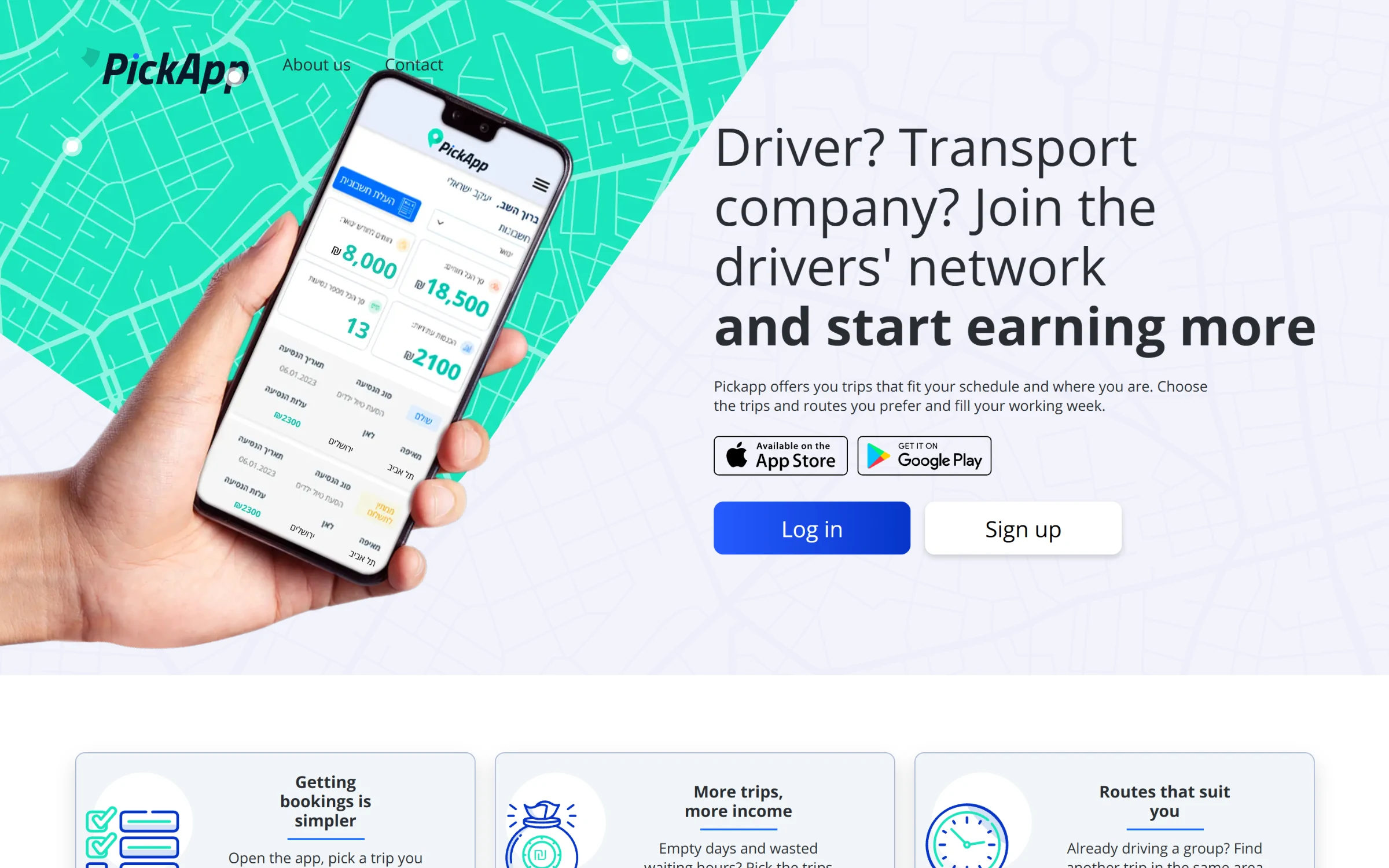
The home page, built for drivers and transport companies.
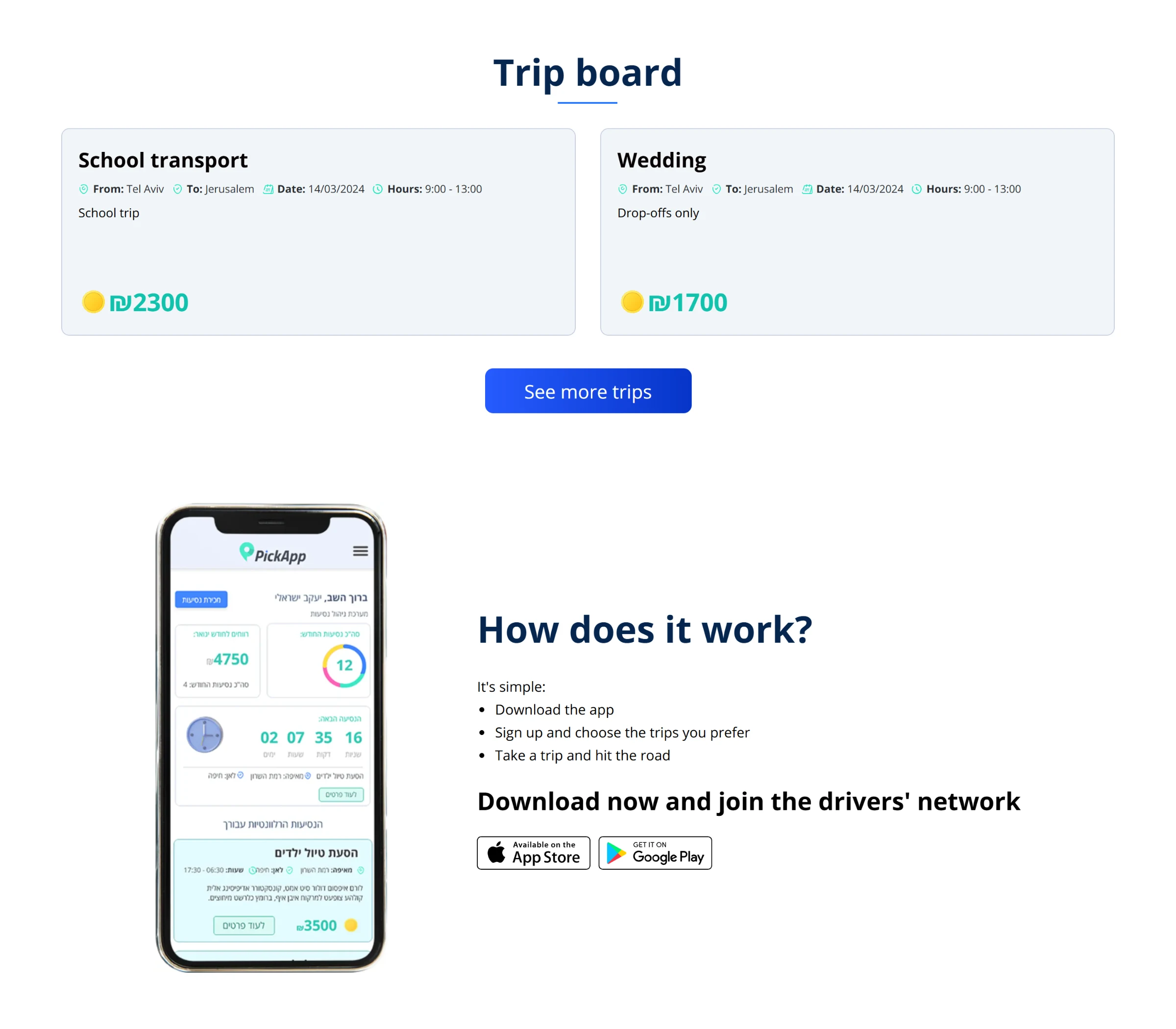
The trip board shows open trips with their route, date and price.
A dashboard that answers the driver's first questions
When a driver logs in, the dashboard shows what they care about first: what they have earned this month, how long until their next trip, and their trips this month split by type in a chart. Below that come the trips that match their profile, then every open trip, filtered by region with one tap.
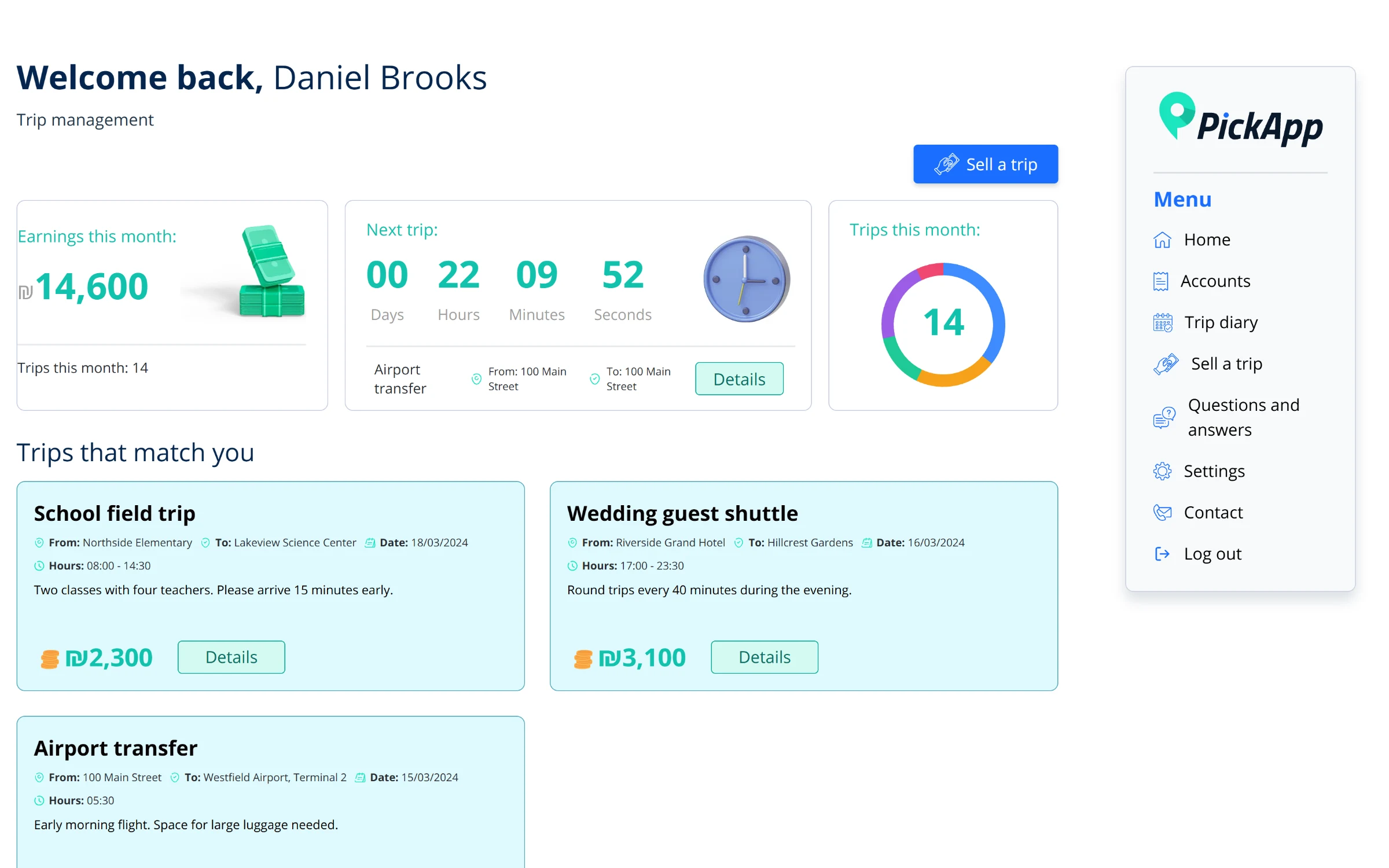
The driver dashboard: earnings, a live countdown to the next trip, and trips that match the driver.
From a trip card to a request
Each trip card shows the route, date, hours and price. Opening it shows the stops and the notes, and one button sends a request to the Pickapp team. The team approves it in the admin panel, and the trip lands in the driver's diary.
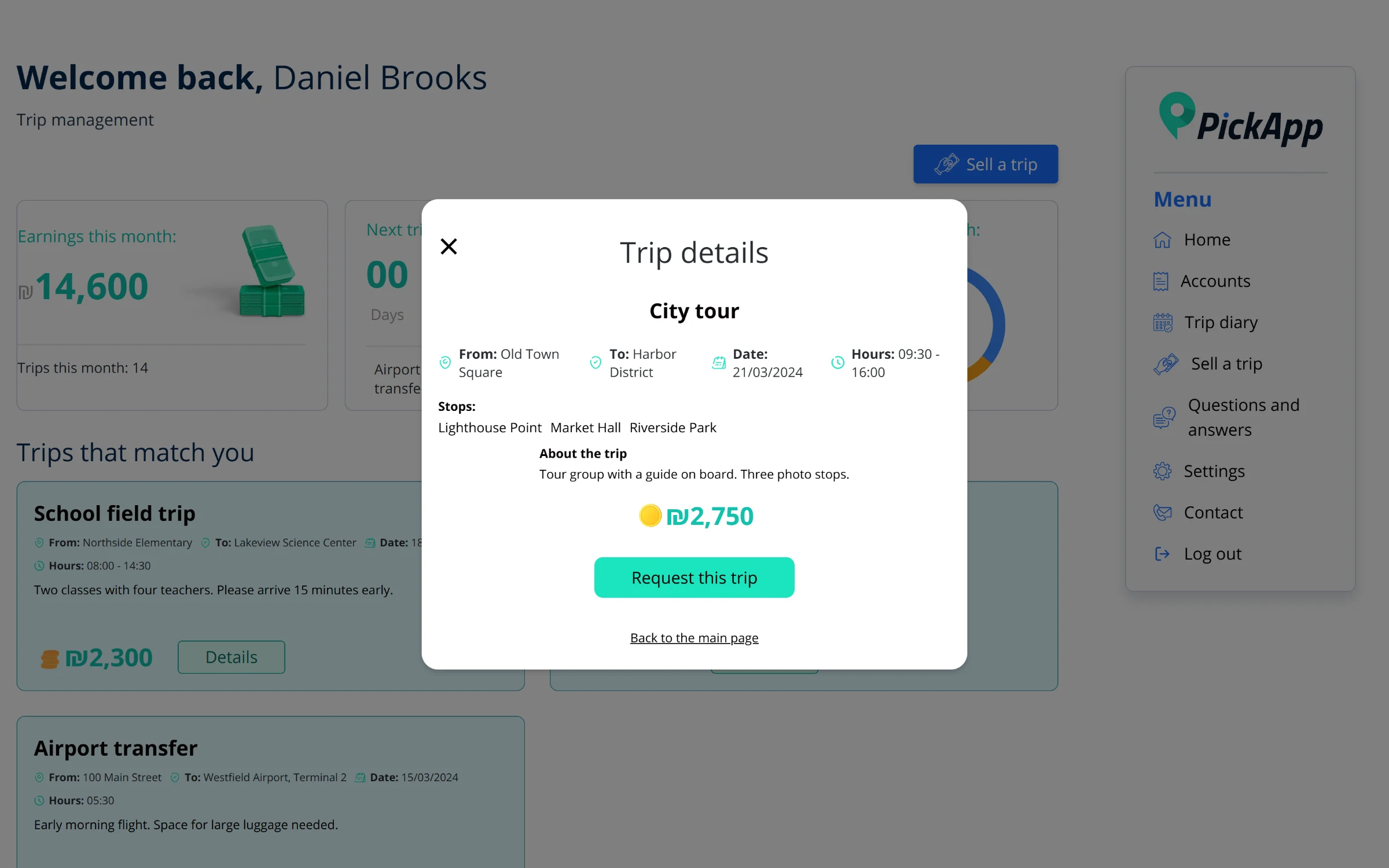
Trip details, with the stops along the way and a one-tap request.
The trip diary
Approved trips show up in a monthly calendar, colour-coded by trip type, so a driver can see a busy week at a glance. The same data is also available as a list with the contact person, passenger count and whether the driver stays with the group. Clicking a day opens the trip.
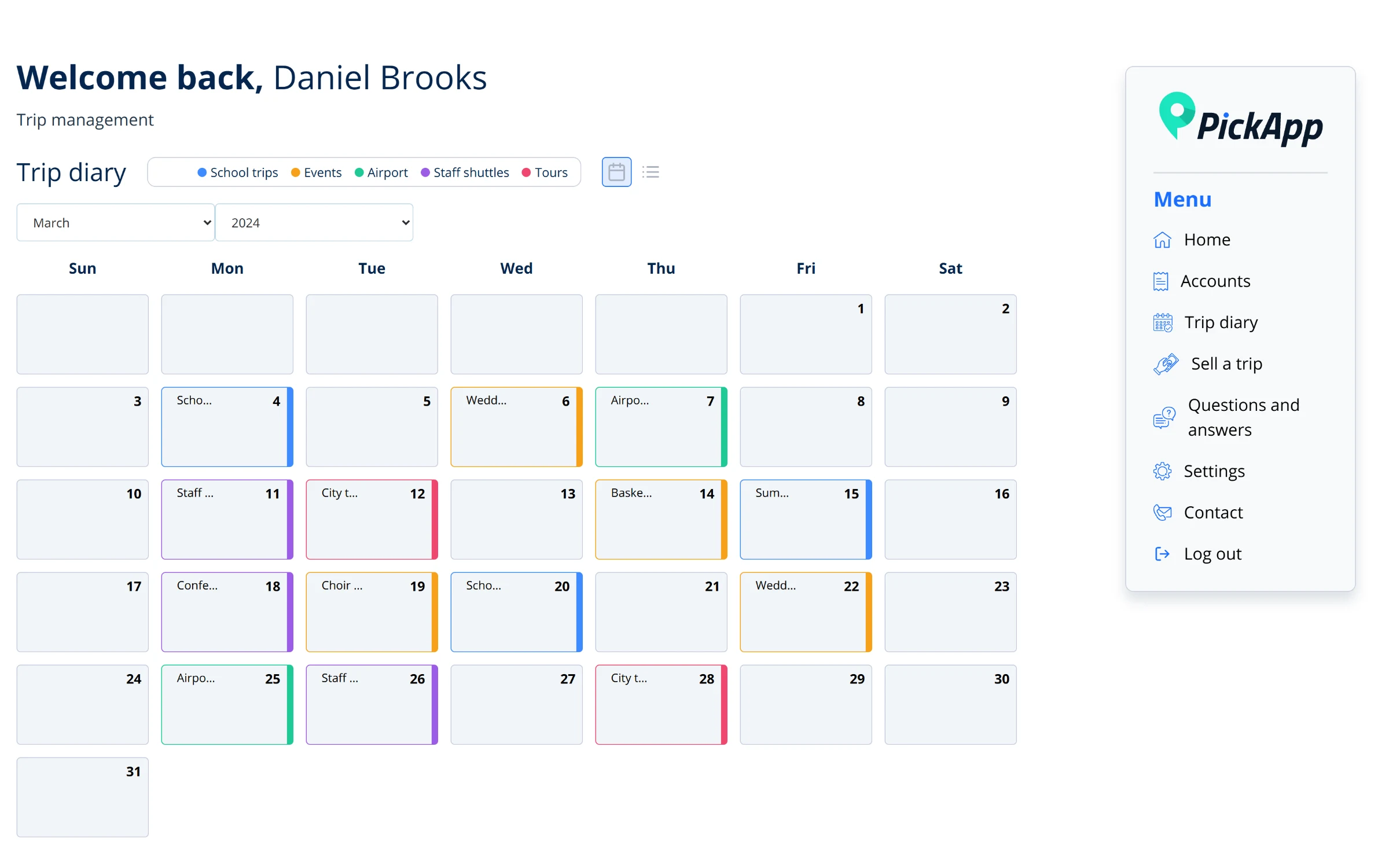
The trip diary, coloured by trip type.
Earnings and invoices
The earnings page totals what the driver has been paid, what is still due and the number of trips. Below it is every completed trip with its payment status. Drivers can export a report for a date range and upload their monthly invoice straight to cloud storage through a signed upload link.
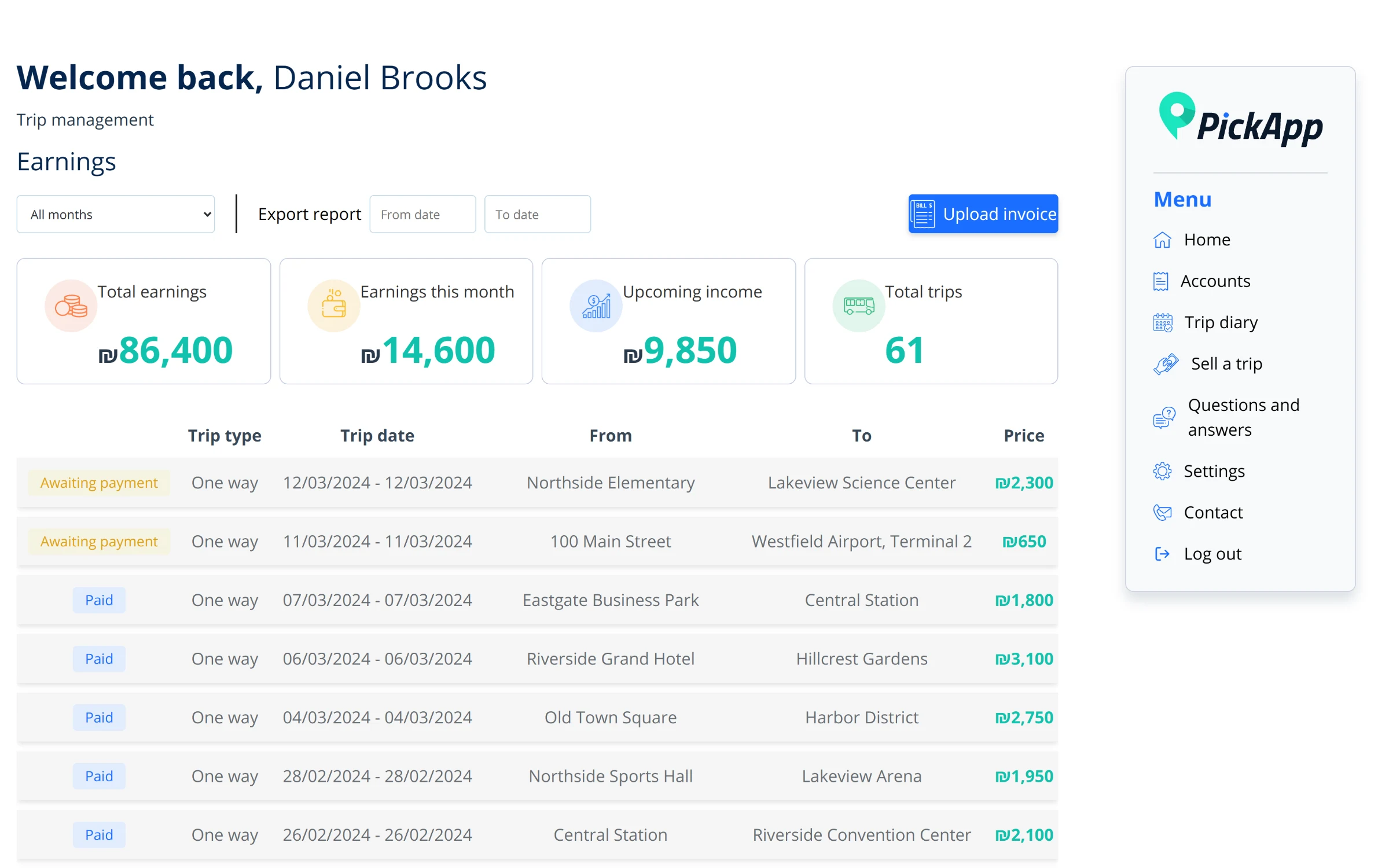
Earnings: totals at the top, every completed trip and its payment status below.
Built for the phone too
Most drivers check Pickapp between runs, so every screen works on a phone. Sign-up is by phone number with a one-time code, and drivers choose their vehicles and preferred regions as part of it.
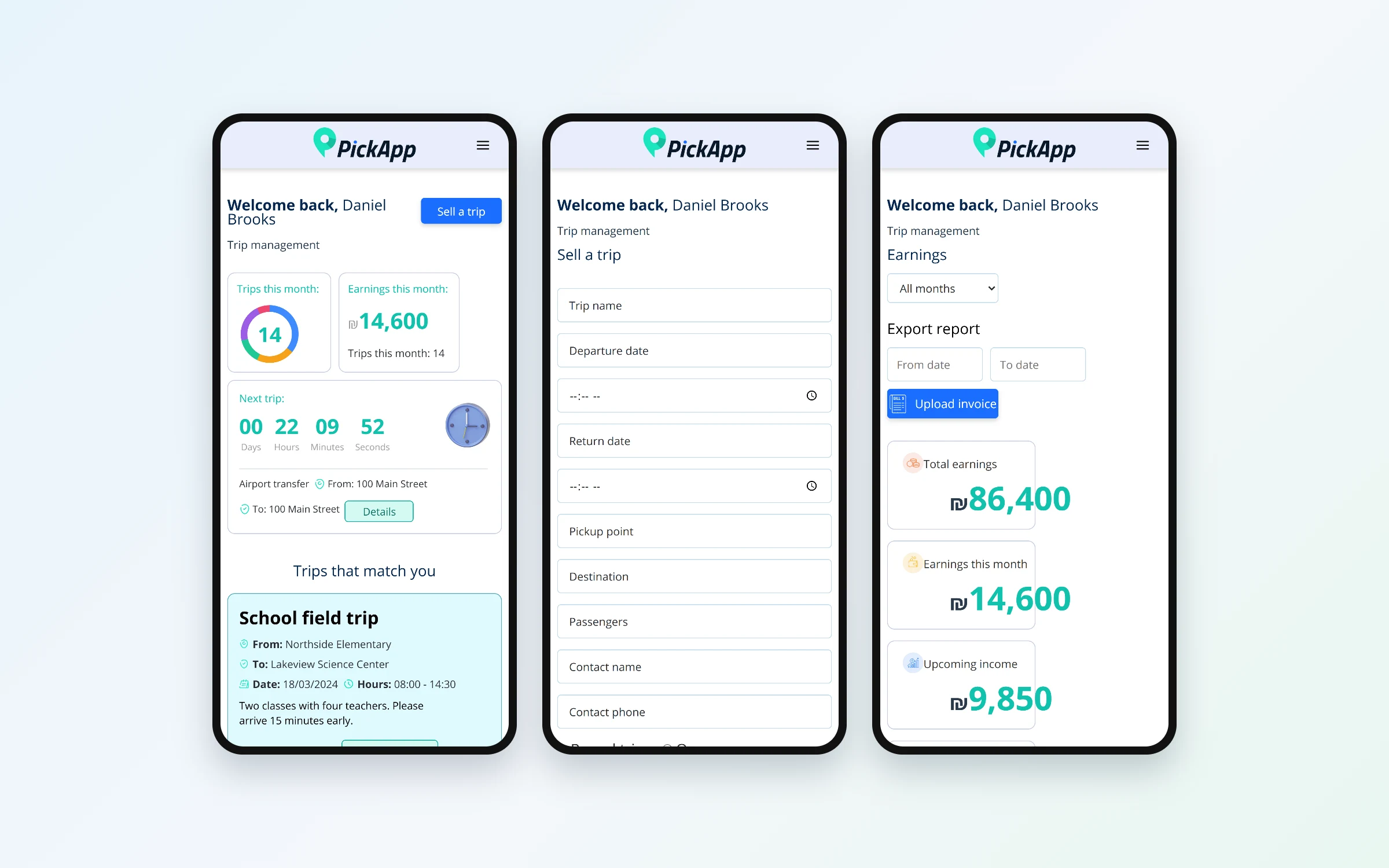
The dashboard, selling a trip and earnings on a phone.
The admin panel
I built the admin panel on an open-source Material UI dashboard kit and shaped it around Pickapp's work:
Drivers: approve or reject sign-ups one at a time or in bulk, and edit a driver's vehicles and regions
Jobs: post a trip with its stops, vehicle type and contact, then assign it to a driver
Job requests and sell-on requests from drivers, with approve and reject
A driver's page with their stats, upcoming trips, invoice history and uploaded invoices to verify
Regions, colour-coded trip tags, FAQs and notification settings
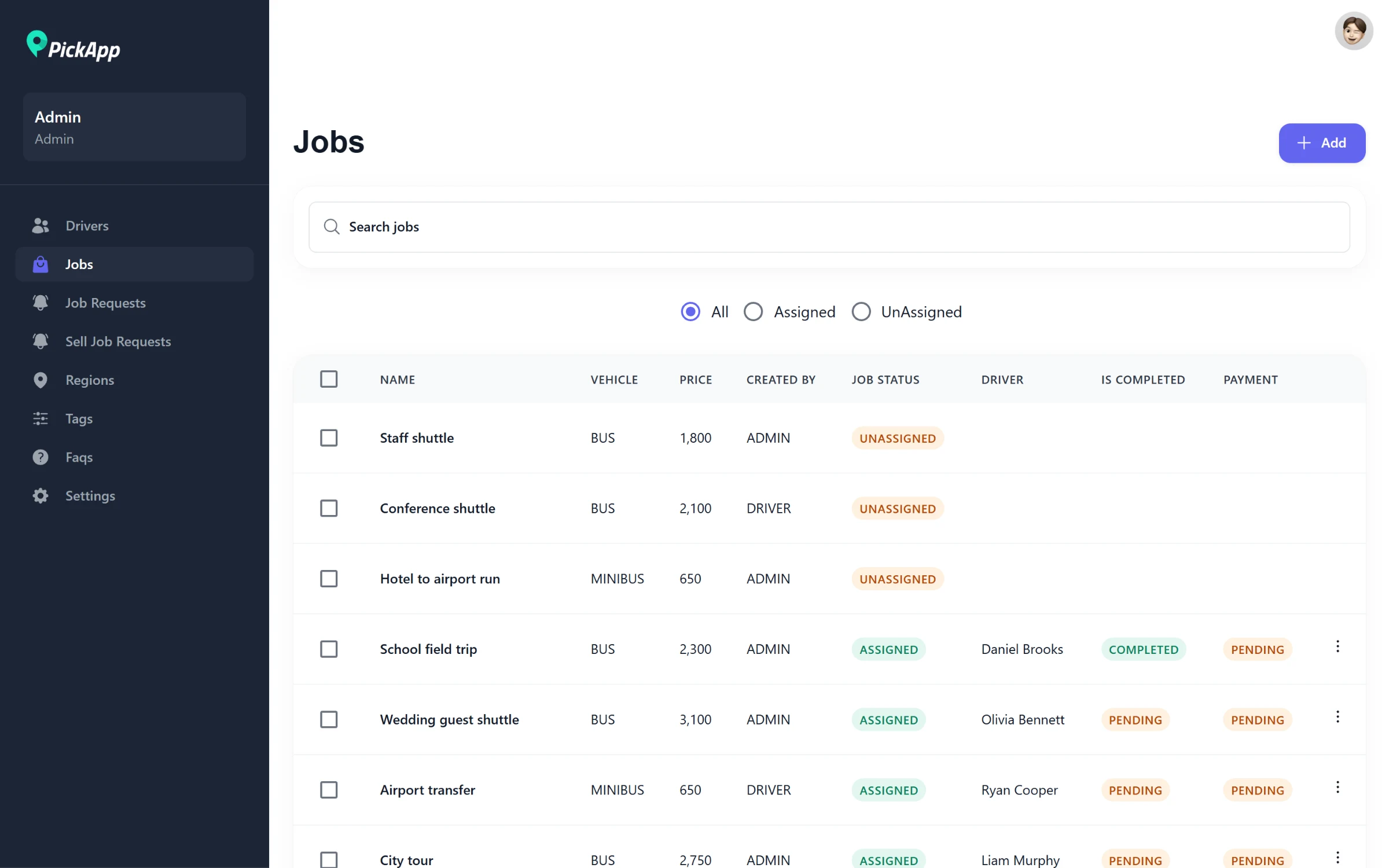
All jobs, with who they are assigned to, whether they are done and whether they are paid.
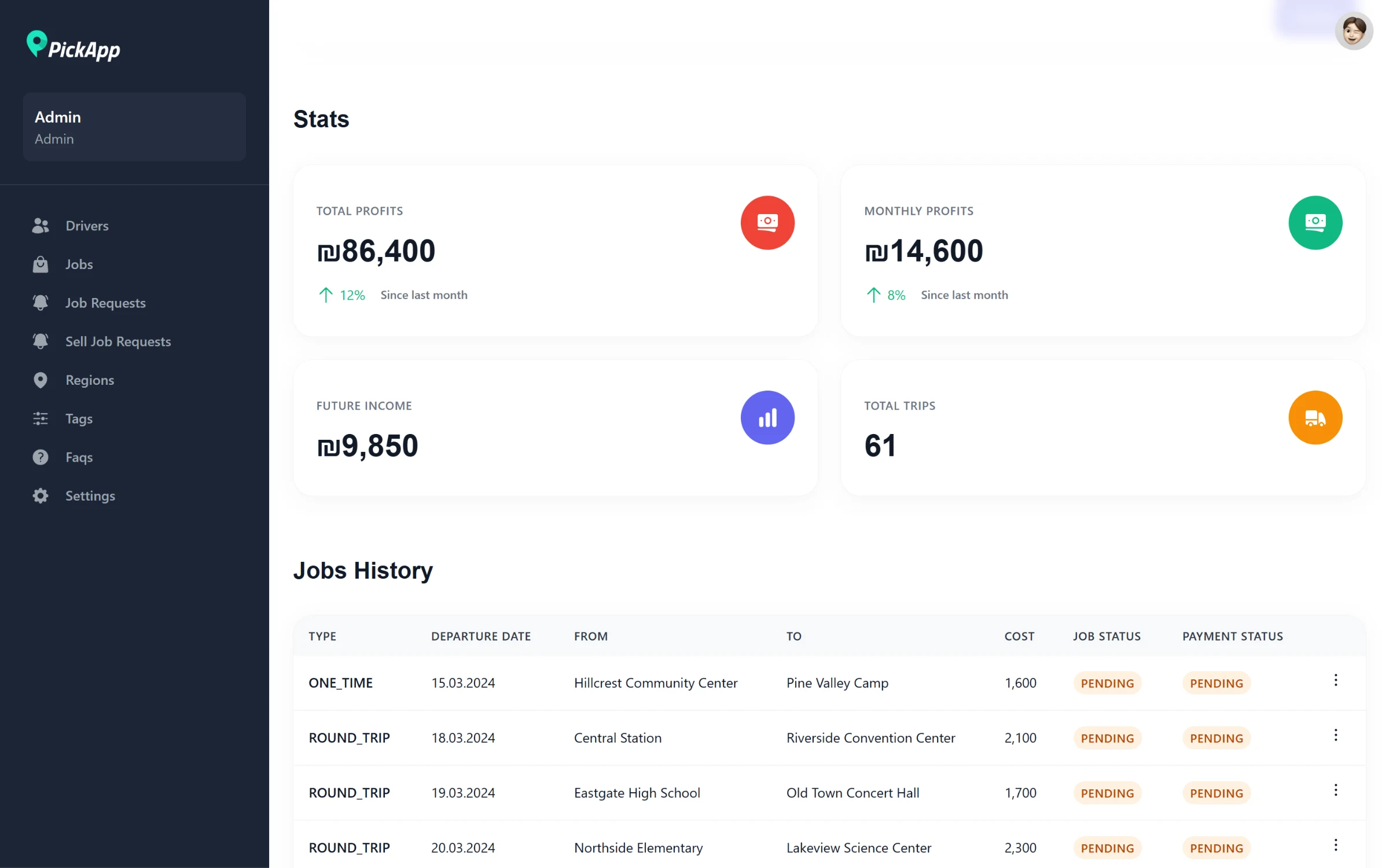
One driver's earnings and job history, where the team marks trips completed and paid.