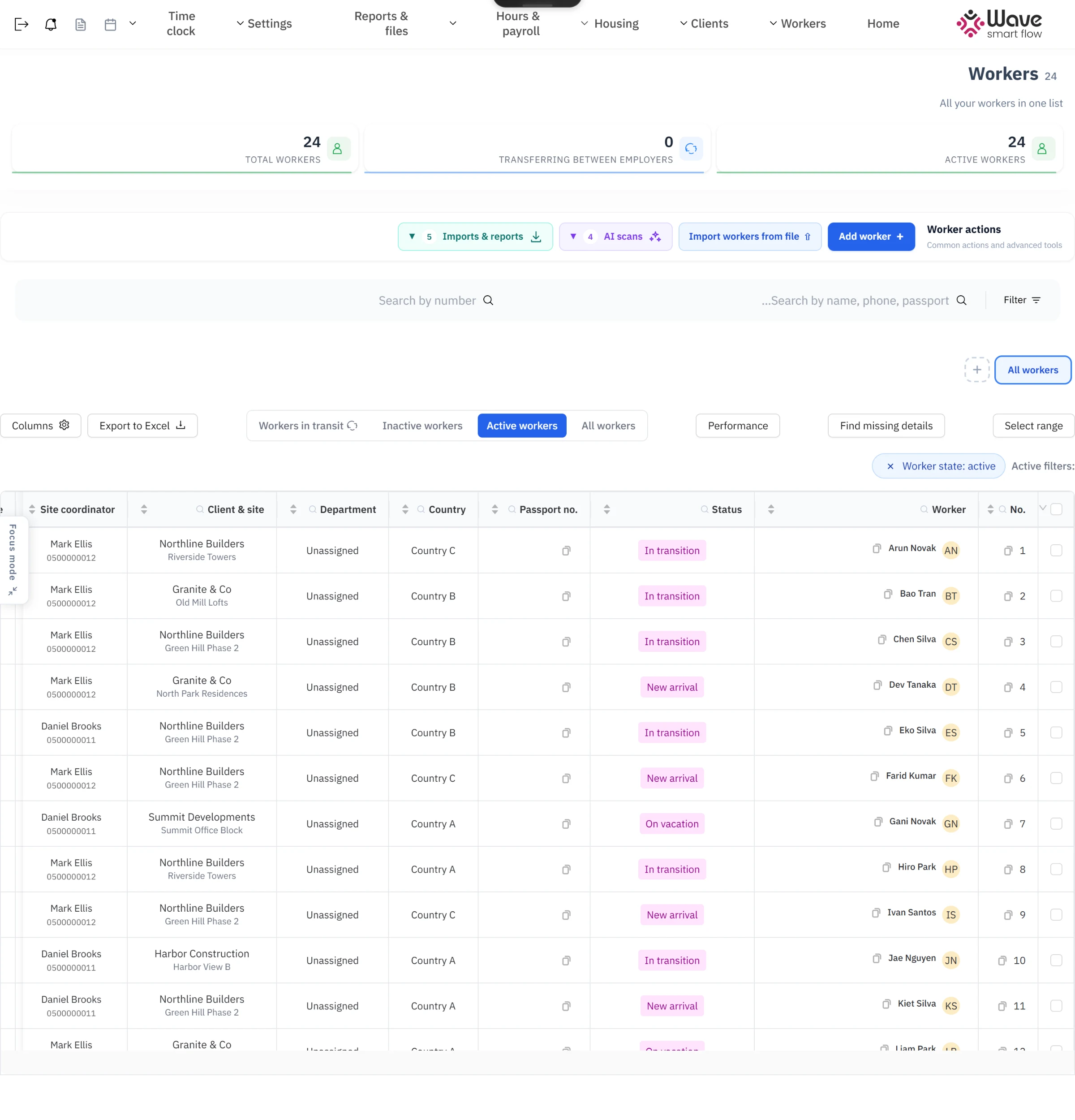
The product
Wave Smart Flow is an HR and operations system for staffing companies that place construction workers with building contractors. One office manages hundreds of workers end to end: permits and visas, housing, site assignments, daily attendance, getting hours approved by the client, payroll and invoicing.
It is a large, multi-tenant Next.js application, built by a team over several years:
217 database models and more than 600 API routes
A mobile clock-in app for workers and a portal in seven languages
AI scanning of passports, visas and insurance documents
Integrations with invoicing, attendance, payroll and messaging systems
The screenshots here use demo data, with the interface translated into English.
My part
I was one of several developers on the team from February 2024 to September 2025, working on both the backend and the frontend. I wrote the first version of the codebase: sign-in, the session middleware, the first database schema and the shared UI kit the rest of the app is built from. Then I built and extended core modules:
The worker file: the list and the detail tabs for fees, bank details, medical records, accidents, events, training and tags
Construction companies with their contacts, projects, contracts and documents, and worker housing with tenants, payments and equipment
Working hours and payroll screens, bulk schedule and hours uploads, and hours reports by worker, project and company
Invoicing through an external accounting system, calculated from hours and project rates
An inventory module for the clothing and equipment issued to each worker, and salary advances
The flow that sends a month's working days to the client for review, with approve and reject, push notifications and email
The mobile layout of the live attendance dashboard
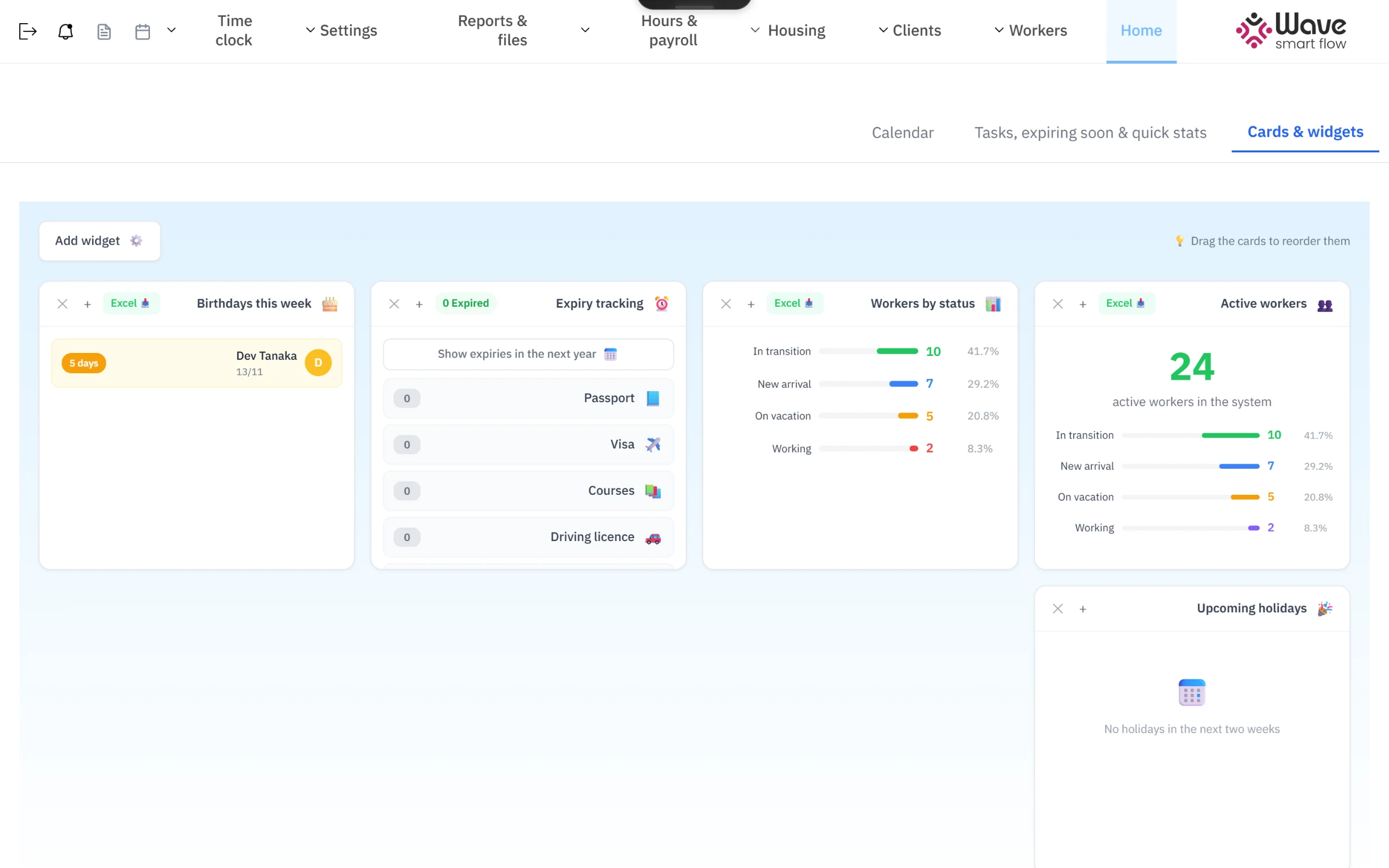
The dashboard: active workers, workers by status, expiring documents and birthdays.
Moving a company onto it
When the first client company moved onto the system, I wrote the migration scripts that imported its workers, construction companies, apartments and project assignments from their old spreadsheets. The scripts created missing banks and branches on the way, rebuilt serial numbers and logged every worker, so the office could check the import line by line.
What I took from it
Working on a codebase this size with a team taught me to build in small, reviewable pieces, to keep data migrations repeatable, and to design screens for people who use them all day.